Game asset management software for indie developers
Every sprite, model, sound effect and engine package you own, catalogued in one library on your own machine. Preview it, tag it, search it by what it looks like, and drag it straight into your project.
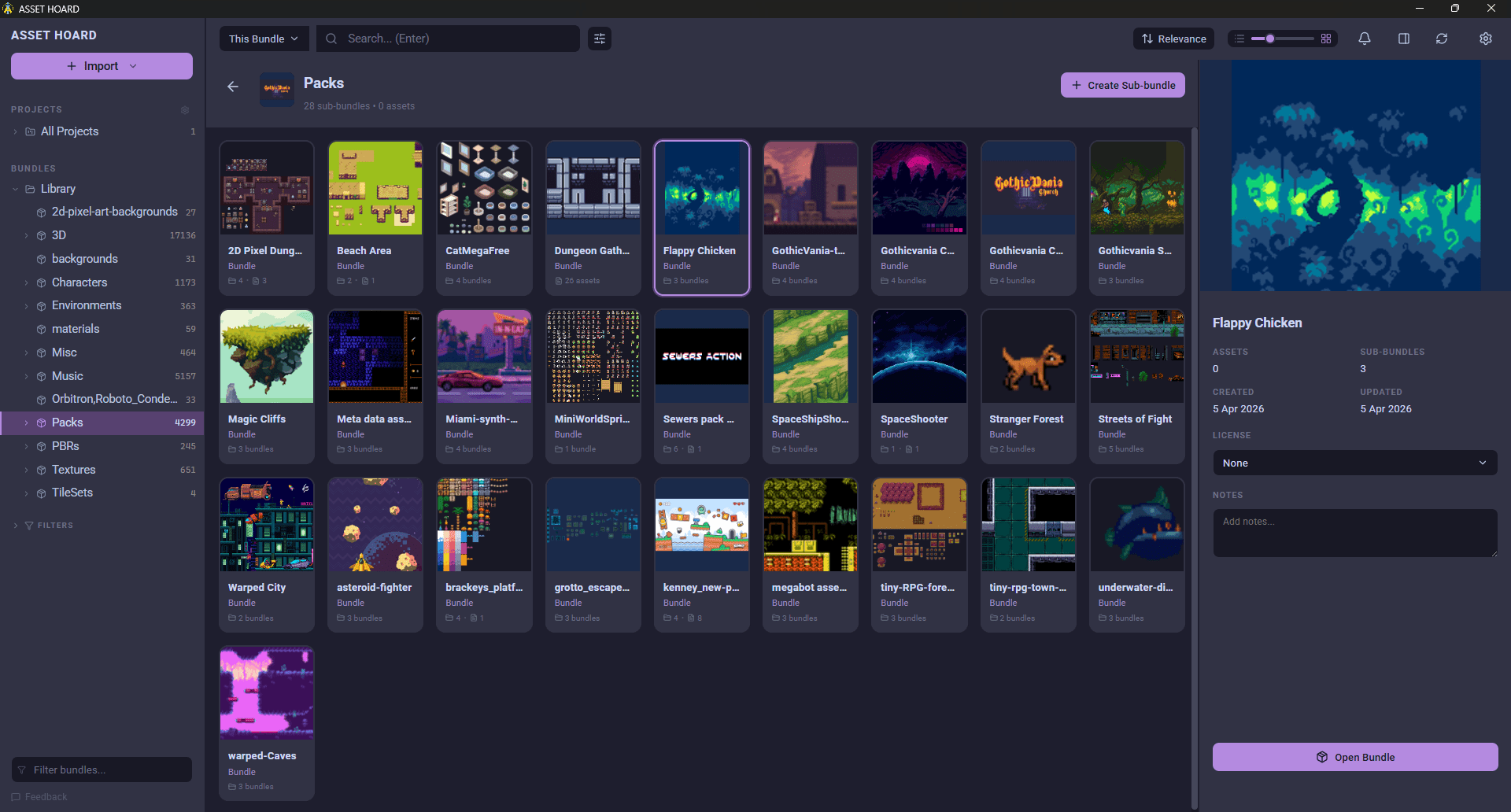
What game asset management covers
Asset management for games is more than storage. These are the jobs AssetHoard handles across a library of any size.
Catalogue everything in one place
Import folders, packs and whole drives. Watched folders keep the library in sync as you download more, and you can browse inside archives without extracting them.
Preview game formats
Thumbnails and interactive previews for sprites, Aseprite animations, 3D models, PBR materials and audio, plus engine packages from Unity, Godot, Unreal and GameMaker.
Organise without folders
Tags, categories and bundles let one asset sit in many places at once. Variant groups keep alternate versions of the same asset together, so there is only ever one "final".
Find assets by what they are
Semantic and visual search finds a "mossy stone wall" or something that looks like the image you have, even when the
file is called tex_0042.png.
Track licences
Every asset carries a licence field, and licence files found on import are detected and applied automatically, so you know what you can ship before you ship it.
Get assets into your engine
Drag any asset straight into Unity, Godot, Blender or any app that accepts files. The MCP server lets AI coding tools search your library and pull assets into a project too.
Folders vs a general DAM vs AssetHoard
Folders stop scaling at a few thousand files, and most digital asset management systems are built for marketing teams, not game files.
| What you need | Folders | General DAM | AssetHoard |
|---|---|---|---|
| Previews game formats (.unitypackage, .tres, .aseprite, FBX) | No | Rarely | Yes |
| One asset in many categories at once | No, one location per file | Yes | Yes, tags and bundles |
| Search by what an asset looks like | Filename only | Sometimes | Semantic and visual search |
| Tracks the licence of each asset | No | Sometimes | Yes, with licence file detection |
| Drag straight into a game engine | From the file manager | No | Yes |
| Works offline, files stay on your machine | Yes | Usually cloud-first | Yes, local-first |
| Pricing | Free | Monthly, per seat | One-time purchase |
New to the idea? Read what a DAM is for game developers, or see how one library of 100,000 assets is organised.
Built for indie scale and budgets
Studio asset management tools assume a server, an IT budget and a team with an approvals process. Most indie developers have a laptop, a couple of external drives and years of bundles, Asset Store purchases and game jam downloads spread across them.
AssetHoard is a desktop app for Windows, macOS and Linux, built in Rust so it stays fast on libraries of over 100,000 files. It is local-first: no account, no cloud, no monthly bill, and your library keeps working offline. It is free during the open beta, and a one-time purchase from full release.
Frequently asked questions
Game asset management software keeps every file a game is built from, such as sprites, 3D models, textures, audio and engine packages, in one searchable library. It adds previews, tags and metadata so you can find an asset by what it is, track where it came from and what licence it has, and move it into a project without digging through folders.
Most DAM systems are built for marketing teams and handle photos, logos and video. Game asset management software understands game formats, previews 3D models and sprite sheets, reads engine packages such as .unitypackage and Godot .tres files, and drags assets straight into an engine.
AssetHoard is built for solo developers, small indie teams and digital artists. It is a desktop app that runs on your own machine, with no seats, no server to set up and no subscription.
No. AssetHoard is local-first. Your library and files stay on your own drives, the app works fully offline, and there is no account to create.
AssetHoard reads more than 80 formats, including PNG, PSD, Krita and Aseprite images, FBX, glTF, OBJ and Blender models, WAV, OGG and MP3 audio, fonts, and engine packages such as Unity .unitypackage, Godot .tres, Unreal .uasset and GameMaker .yy.
AssetHoard is free to download and use during the open beta. From full release it is a one-time purchase with no subscription, and a licence covers every update within the major version you buy.
Bring your whole asset library together
Local-first. No subscription. Free during the open beta.