Be honest: how many .zip files are sitting in your Downloads folder right now, unopened, because you're not sure which one holds the texture you actually want?
Almost everything you grab arrives compressed. Asset packs, sprite sheets, model bundles, the odd font collection. They land as archives, and unpacking each one just to peek inside means loose files scattered across your drive, duplicated copies you forget to delete, and a Downloads folder that slowly turns into a landfill. So you don't unpack them. You leave them there, promising to sort it out later. Later never comes.
Open the box without unpacking it
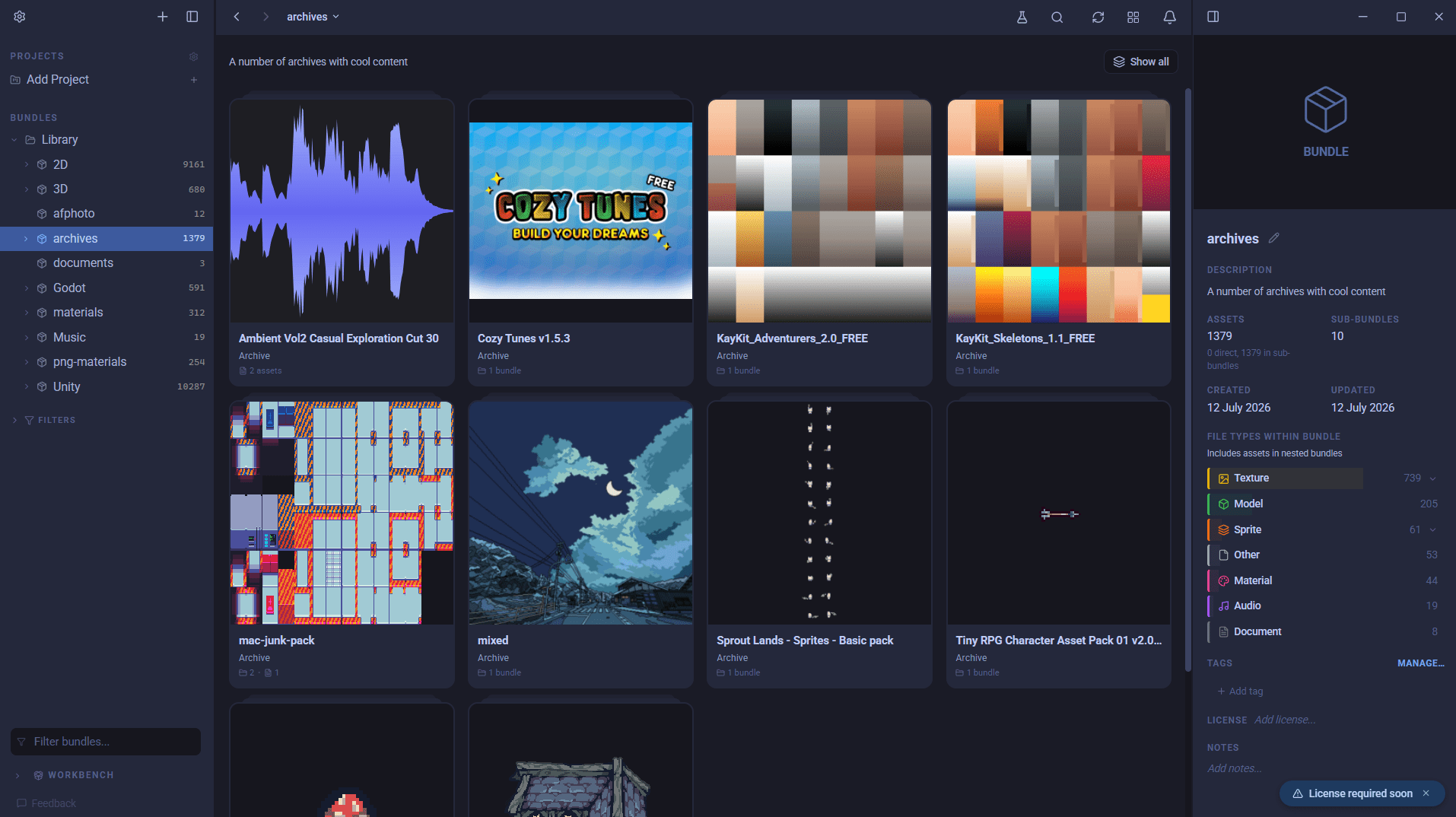
The next release of AssetHoard fixes the whole ritual. Import a .zip, .rar, or .tgz and it reads the contents on import, then shows the files and folders inside as if they were already sitting in your library. The folder tree is intact, names and sizes are right there, and you can dig through the whole thing like any other asset.
Nothing gets extracted. The archive stays as one tidy item in your library with its contents indexed underneath, so a pack holding hundreds of files doesn't flood your grid with clutter. Your drive stays clean, and there are no stray copies to chase down.
Preview what's actually in there
Browsing a file list is useful. Seeing the files is better.
Click any file inside an archive and AssetHoard previews it live, exactly as if you'd pulled it out. Images and sprites at full resolution, audio you can play in place, 3D models you can orbit and spin. Whatever the format, if AssetHoard can preview it loose, it can preview it inside an archive. It only reaches for the one file you clicked, and only when you click it. Everything else stays compressed until you go looking.
That means you can finally answer the question that started all this. Which pack has the texture? Open them, look, done. No unzip, no temp folders, no cleanup.
One less chore
You didn't get into game development to be a file archaeologist. Archives are one more pile of admin between you and the work, and this quietly removes it. Your downloads stay downloads, your library stays tidy, and the thing you're hunting for is finally something you can just look at.
Have a browse through the archives documentation for the full picture.
If your hoard of assets needs taming, download AssetHoard.
The AssetHoard Team