Godot asset manager organise, preview, and reuse your assets
Your Godot project deserves better than a folder full of mystery files. AssetHoard lets you browse, tag, and preview your entire asset collection (textures, models, audio, shaders) and drag what you need directly into your Godot project.
AssetHoard in your Godot workflow
Drag straight into Godot
Drag any asset from AssetHoard straight into your Godot project. No copy-pasting, no hunting through file explorer, no breaking your flow.
Key features
- Drag straight into the FileSystem dock
- Works for sprites, materials, materials, and fonts
- Keep your library separate from your project
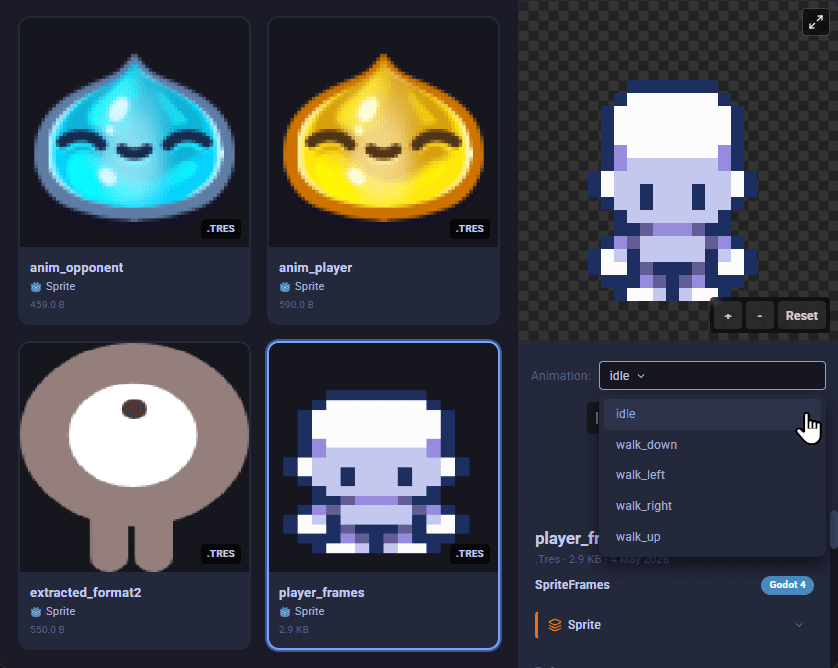
Preview sprites and SpriteFrames
Browse your sprite library visually. AssetHoard renders sprite sheets and Godot SpriteFrames resources so you can find the right idle, walk, or attack frame without opening the editor.
Key features
- Preview sprite sheets and SpriteFrames resources
- Play animations right in the preview
- Find the right frame without opening the editor
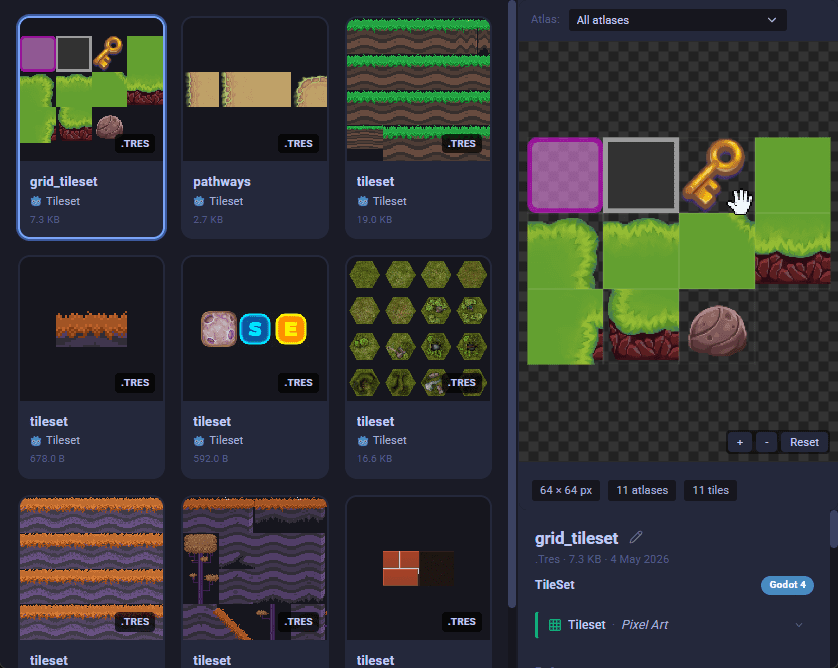
Browse Godot tilesets
AssetHoard reads Godot TileSet resources and shows the full atlas layout. Spot the tileset you need without scrubbing through scene files.
Key features
- Preview Godot TileSet resources
- See atlas layouts at native resolution
- Environment, collision, and terrain layers shown
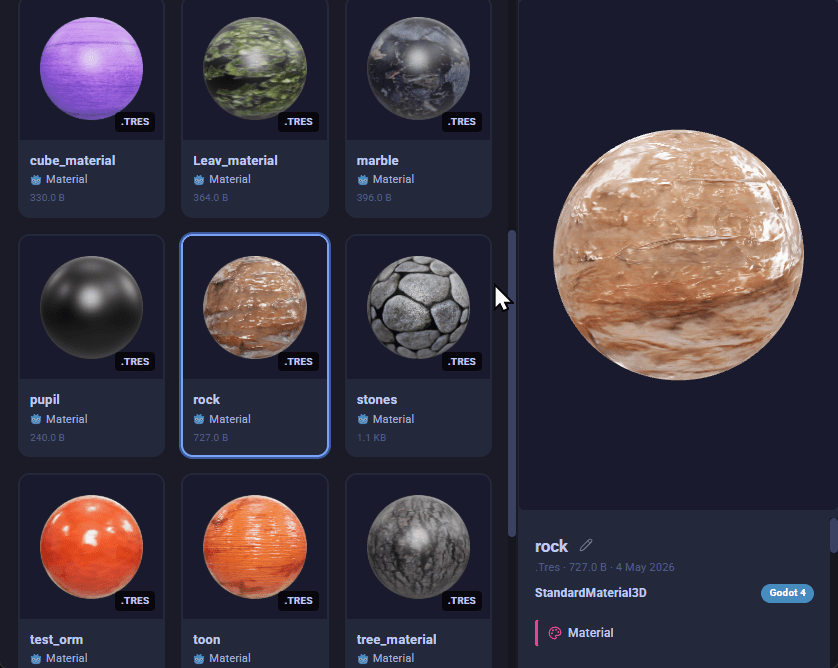
Inspect Godot materials
Open a .tres material and AssetHoard renders the full resource: colours, texture maps, and shader parameters. No need to launch the Godot editor just to remember what is inside.
Key features
- Preview Godot .tres material resources
- See texture maps and shader properties
- Browse alongside the source textures
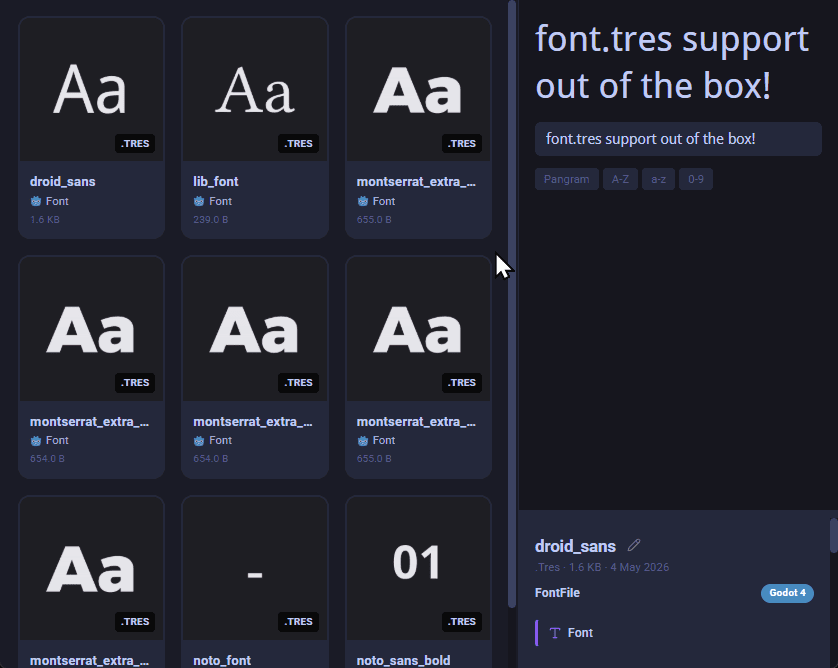
Live-preview your fonts
Type any string into the preview and AssetHoard renders it in the font live. Audition typefaces with your own UI labels, dialogue, or title text before committing to one.
Key features
- Type your own preview text and see it render live
- Compare typefaces in your library
- Tag by family, weight, or project
Ready to get your Godot assets under control?
Local-first. No subscription. One-time purchase.
Frequently asked questions
Yes. AssetHoard reads Godot resource files directly, so it works with assets from both Godot 3 and Godot 4. There is no plugin or import step required on the Godot side.
No. AssetHoard is a standalone desktop application that reads your Godot project files from disk. There is no plugin to install inside Godot, no GDScript glue code, and no changes required to your project.
No. AssetHoard does not write to the .godot folder or modify Godot’s import cache. It reads your assets for preview and tagging, leaving the state your project relies on untouched. You can open and close your project in Godot exactly as before.
Yes. Drag any asset from AssetHoard directly into the FileSystem dock in the Godot editor. It works for any file type that Godot natively supports, plus any .tres resource file that has been imported into AssetHoard.
AssetHoard imports and parses Godot .tres resource files, including spritesheets, materials, tilesets, and fonts. Each is rendered visually in your library, so you can find the right asset without opening the Godot editor.
Yes. AssetHoard keeps a single library that can index assets from any number of Godot projects, plus loose folders, downloaded packs, and the rest of your creative workspace. Search and tagging work across the whole library, so you can find an asset from one project and reuse it in another in seconds.
The Godot Asset Library is an online catalogue for finding and downloading community-shared assets and plugins. AssetHoard is a local desktop app for organising, tagging, and previewing the assets you already own across every project. Use the Godot Asset Library to find new assets, then import them into AssetHoard so you can search and reuse them later.