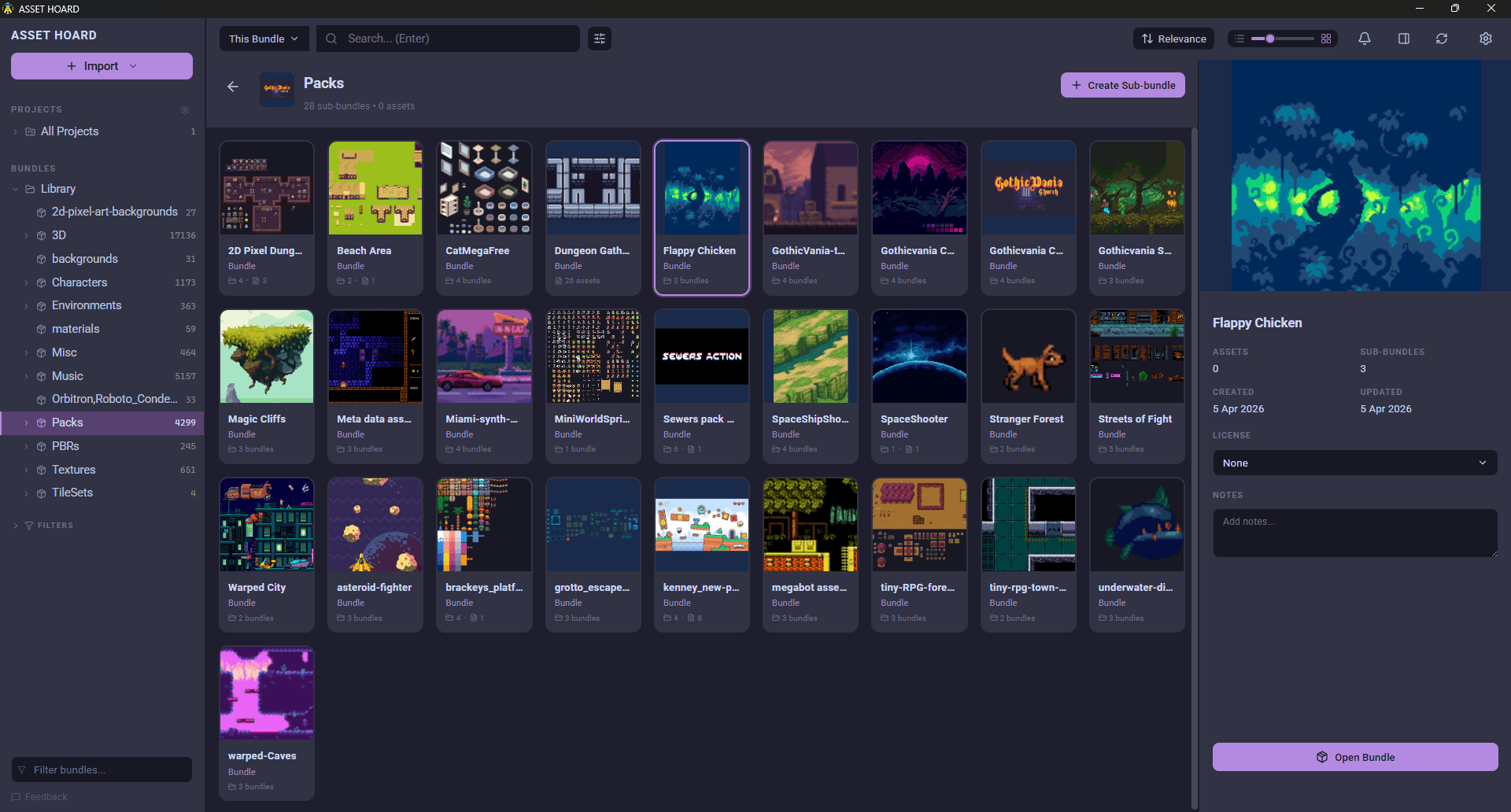
So what's a DAM?
Think about all your files. Every sprite, every 3D model, every sound effect you downloaded at 2am and swore you'd use one day. If you're not totally sure where all of them are right now, that's the thing a DAM is for.
DAM stands for digital asset management. It's a system that keeps your files in one place, tags them, shows you previews, and lets you find things by what they are instead of where you saved them. That distinction doesn't matter much at ten files. At a few thousand it matters a lot.
The whole idea started in marketing. Big teams needed somewhere to keep logos and campaign images so nobody accidentally shipped last year's brand colours. Handy, but not built with game devs in mind.
Why folders stop working
Folders make you pick one home for each file, and most assets don't have one home. A single pixel sword might belong in your weapons pile, your player kit, that game jam project, and your medieval stuff, all at the same time. You can only file it once, so you end up copying it around, and then you've got four swords and can't remember which one you actually finished.
You've probably also opened a folder called assets_final and found final_v2 inside it, and final_ACTUAL_use_this inside that. It happens to everyone eventually.
And folders can't show you anything. A filename like char_03_b.png tells you nothing on its own, so you end up opening files one at a time just to see what they are.
Why a regular DAM won't fix it
You might figure you can grab an off-the-shelf DAM and call it done. Usually not.
Most of them are built for marketing assets. They're fine with logos and photos, but hand them a Godot .tres file or an Aseprite animation and they don't really know what to do with it.
They also tend to be cloud-first and locked behind a login, so your whole library lives on someone else's server and you're paying every month to reach your own work. And the pricing usually assumes you're a team with an approvals process, not one person shipping a game on the side.
What actually matters for game devs
If you're weighing up a DAM for game work, these are the parts worth caring about:
- Handles your file types. Not just images. 3D models, sprites, animation, audio, fonts, and engine-specific formats too.
- Shows thumbnails. You think visually, so finding an asset by sight is faster than reading filenames.
- Tags things for you. Manual tagging is a second job. The good ones automate most of it.
- Tracks variants. Three versions of the same character should sit together, not scatter across your drive.
- Works offline and stays yours. Local-first means the library lives on your machine and doesn't need a connection to open.
- Talks to your engine. Dragging an asset straight into Unity or Godot beats exporting and re-importing.
- Holds up at scale. Ten files is nothing. A hundred thousand is the real test.
If you're weighing actual tools against that list, we've done a round-up of offline asset managers for indie developers that covers the main options.
Where AssetHoard fits
AssetHoard is a local-first desktop asset manager for game developers and digital artists. One place for everything, sitting on your own machine.
That list above was more or less the design brief. It reads 80+ file types, so your models, sprites, Aseprite files, audio, fonts, and engine packages all land in one library. It generates thumbnails so you can browse by sight, and search works semantically and visually, so you can look for what something resembles rather than only what you named it. Variant groups keep the "which one's the final one" problem contained. You can drag assets straight into Unity or Godot. And it's built in Rust, so it stays responsive when your library gets big.
It runs on Windows, macOS, and Linux. No accounts, no cloud, no monthly bill. It's a one-time purchase, $29 USD, and the library stays yours.
If your assets are already scattered across half a dozen drives, it's a decent place to bring them together. And if you want to see how a real library holds up at scale, here's how I organise 100,000 game assets with it.
Frequently asked questions
DAM stands for digital asset management. A DAM is a system that keeps your files in one searchable library with tags, previews, and metadata, so you can find an asset by what it is rather than by where you happened to save it.
Not at ten files, but folders stop scaling once a library grows into the thousands. If you regularly lose track of sprites, models, or audio you know you own, or you keep re-downloading packs you already bought, a DAM will save you real time. Solo developers benefit as much as teams because there is nobody else to ask where a file went.
Folders force every file into exactly one location, so assets that belong to several categories end up duplicated. A DAM lets one asset carry many tags at once, shows visual previews instead of filenames, and can search by content. Folders can do none of those things.
Most DAMs are built for marketing teams, so they handle logos, photos, and video but not game formats. A DAM for game developers understands engine-specific files such as .unitypackage, Godot .tres resources, and Aseprite animations, previews 3D models and sprite sheets, and lets you drag assets straight into engines like Unity and Godot.
Yes. AssetHoard is a digital asset management system built specifically for indie game developers and digital artists. It is a local-first desktop app for Windows, macOS, and Linux, so your library lives on your own machine and works offline, and it reads 80+ file formats including engine-specific ones like .unitypackage and Godot .tres.