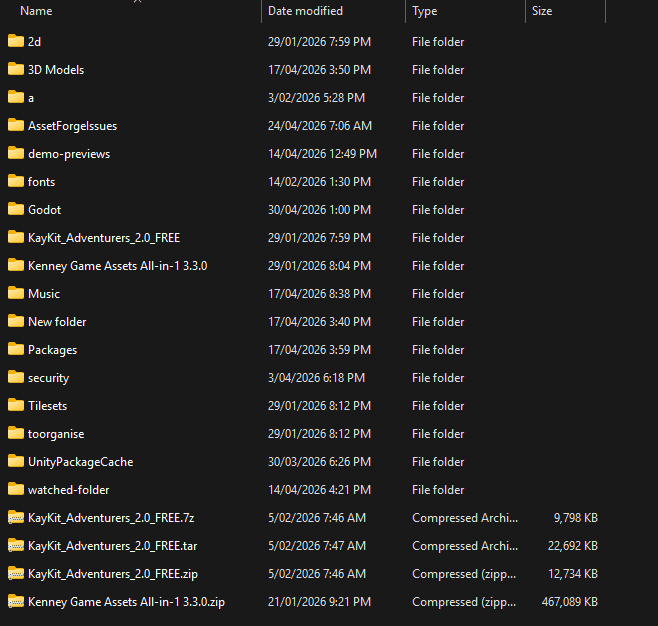
If you've spent any time building games as an indie developer, you've probably hit the same wall: a folder full of assets that's completely out of control. Hundreds of sprites, sound files, models, textures, and Unity packages, organised by a naming convention you invented two years ago and have since partially abandoned. The folder called "final" next to the folder called "final_v2" next to the folder called "actually_final".
The obvious solution is an asset manager. The question is which one, and whether it needs to be online at all.
The problem with cloud-first tools
A lot of creative tools have gone cloud-first. It makes sense from a business perspective: recurring revenue, easy updates, cross-device sync. But for game developers, it introduces a set of problems that don't get talked about enough.
Connectivity is the obvious one. Game developers work everywhere. On trains with patchy mobile signal, at game jams where the venue wifi is already overloaded, in coffee shops with paywalled connections, on planes. If your asset library lives behind a login screen and an internet connection, you're stuck the moment you lose signal.
Then there's data ownership. If your assets and all the organisational work you've done (the tags, the collections, the metadata) live on someone else's server, you're renting access to your own library. Cloud tools shut down. Companies get acquired. Services pivot. When that happens, your organisational work evaporates. You get an email saying you have 30 days to export what you can, and then it's gone.
Worth checking the terms of service while you're at it. A surprising number of "free" creative tools quietly grant themselves a perpetual licence to your uploads, or reserve the right to use them for "improving our services" (read: training the next generative model on the concept art you spent six months on). Your assets are your IP. They shouldn't be someone else's training data.
And then there's subscription fatigue. Indie devs are already juggling engine licences, hosting costs, asset store purchases, and a dozen other recurring expenses. Another $5 or $10 a month tool adds up. A tool that helps you organise files you already own shouldn't itself be a recurring bill.
An offline, local-first approach sidesteps all of this. Your data lives on your machine. No connection required. No account to log into. No risk that the company folds and takes your library organisation with it.
What to look for
Not all offline tools are equal. A few things actually matter for game development specifically.
Local storage is the baseline: all data on your machine, no cloud dependency. From there, format support is where a lot of general-purpose tools fall short. Game development uses formats that design tools have never heard of: .unitypackage, .aseprite, .tres, .gdscript, .fbx, .gltf, .blend. An asset manager that only handles images and videos isn't much use when half your library is game-engine-specific files.
You shouldn't need an account. You should be able to install the thing and start using it immediately, without creating yet another login or agreeing to yet another privacy policy. Pricing should match: a tool that organises your files is a utility. It should be bought, not rented.
Preview capabilities are the next thing. Filenames alone aren't enough. You need to be able to see what a file actually is, whether that is viewing a 3D model, playing a sound, or previewing an animated sprite, without opening a separate application for each one.
And finally, tagging and search. Folders scale reasonably well up to a few hundred files. Past that, you need a proper tagging and search system, because hierarchical folder structures break down when a single asset fits into multiple categories.
The options
Manual folder systems
This is where everyone starts, and for good reason: it's free and requires no setup. For small libraries, say the assets for a single project, it works fine.
The problems start when your library grows across multiple projects. There's no preview beyond what your OS provides. Tagging doesn't exist. Search is limited to filenames. Duplicate files accumulate. You end up with a sprawling directory structure that only makes sense to you, and only barely.
Folders are a perfectly reasonable starting point. They stop being sufficient once you have more files than you can hold in your head.
Eagle.cool
Eagle is a polished visual file organiser with a nice interface and a solid tagging system. It handles images and video well, has a clean design, and costs $29.95 as a one-time purchase. For designers and illustrators, it's genuinely excellent.

For game developers, it falls short in some important ways. There's no support for .unitypackage or other engine-specific formats. 3D model preview isn't there. Drag-to-engine workflow isn't part of its design, because it wasn't built with game engines in mind. Eagle is a great tool aimed squarely at designers. If your asset library is primarily images, it's worth considering. If it's primarily game assets, you're using a tool that wasn't made for your use case.
Hydrus Network
Hydrus is free, open source, and extraordinarily powerful. Its tagging and search capabilities are genuinely impressive. It's built around the kind of detailed metadata management that booru-style image collections use, and it handles large libraries well.
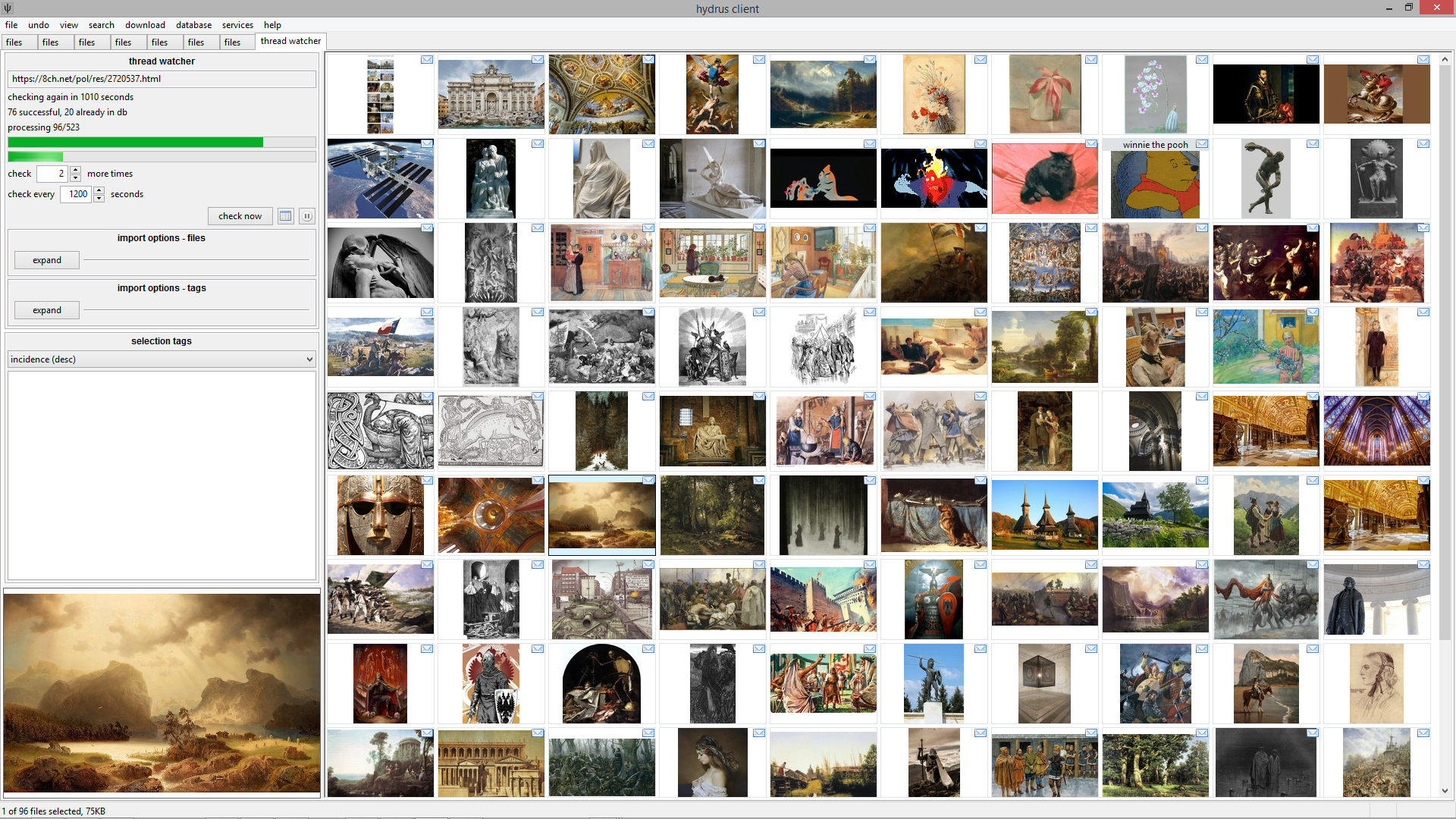
The trade-off is complexity. The UI is dense and technical. Getting it set up and configured to your workflow takes real time and effort. And critically, it's built around images. There's no 3D model preview, no game package inspection, no concept of engine integration. It's a powerful tool for a specific use case, and that use case isn't game development.
If you want maximum tagging control and are willing to invest time learning the tool, Hydrus is worth exploring. If you want something you can use immediately with game-specific files, it's not the right fit.
AssetHoard
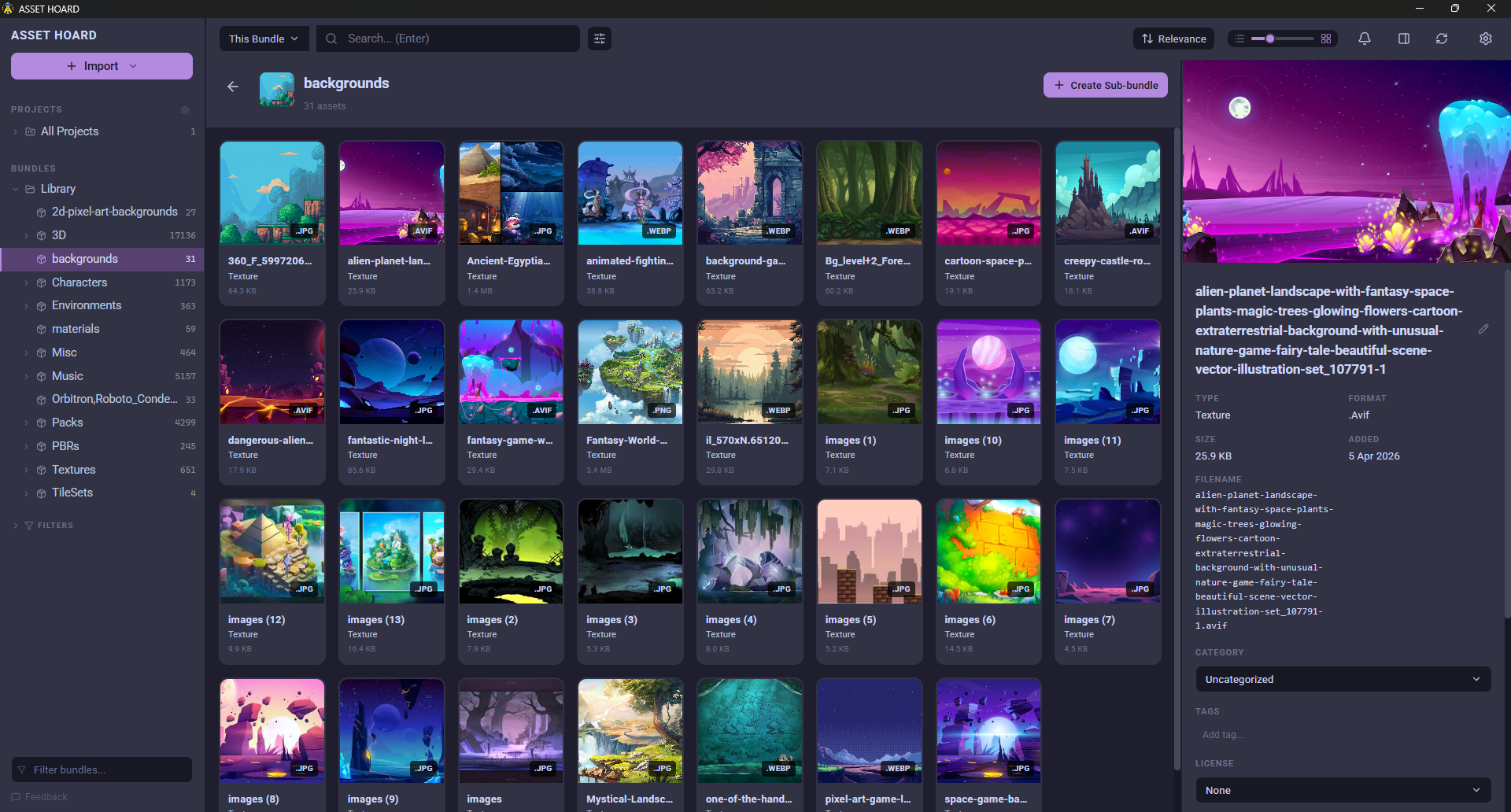
AssetHoard is a game asset manager built specifically for indie developers and artists. It supports 80+ game-development-specific file formats: .unitypackage, .aseprite, .tres, .krita, .fbx, .gltf, .blend, .wav, .ogg, and more.
Preview is built in for everything: 3D models with rotation, animated sprites, audio waveforms, texture tiling. You can tag assets, search across your entire library, and drag files directly into Unity or Godot. No account required. No subscription. One-time purchase at $29.
It runs on Windows and Linux, with macOS support in development.
It's narrower than Hydrus in terms of tagging depth, and it doesn't have Eagle's visual polish. What it does have is a focused set of features for the actual game development workflow, built around the file formats you're actually using.
Picking one
The best tool depends on your library size and what you're actually working with.
Folders work fine for small collections and single projects. Eagle is a good choice if your library is primarily images and you want a well-designed, general-purpose organiser. Hydrus is for power users who want deep tagging control and are willing to spend time on configuration.
If you're a game developer with a growing library of engine packages, 3D models, sprites, and audio (formats that general tools don't understand), then a purpose-built local-first asset manager is worth the investment.