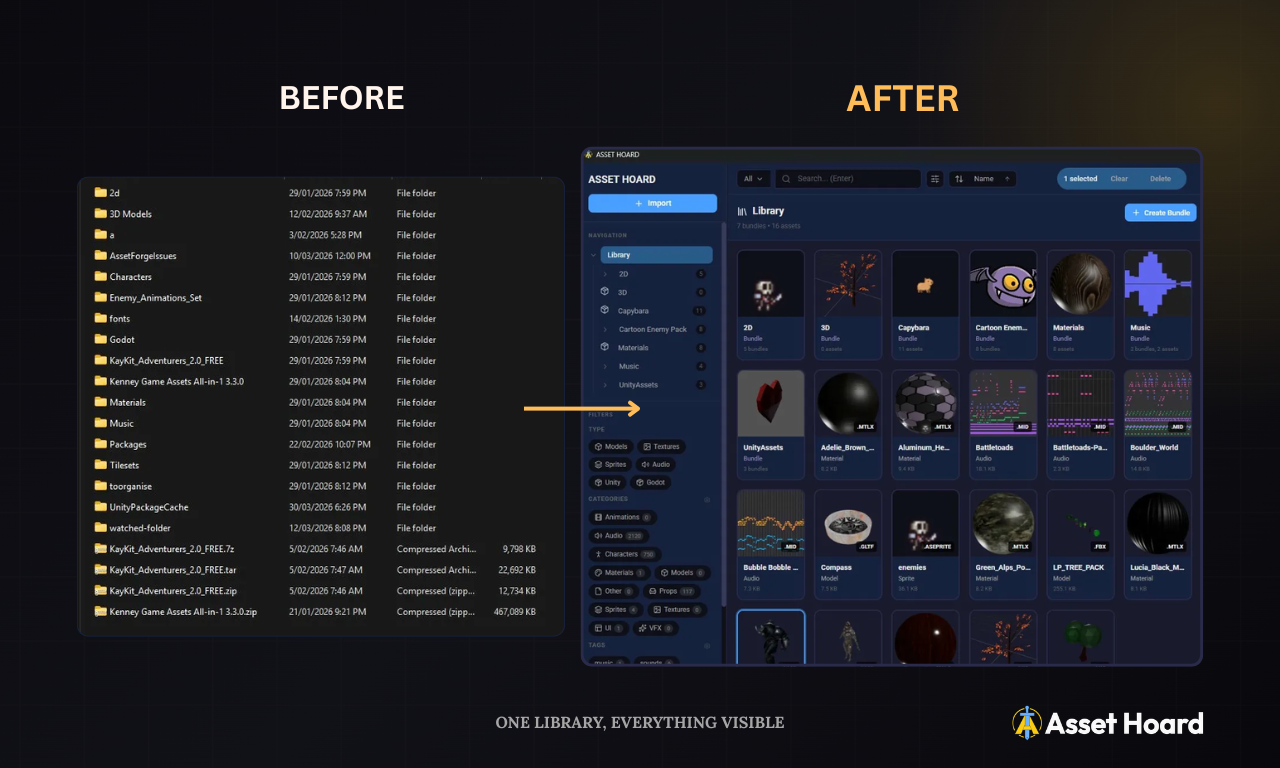
If you have been making games for more than a year, you probably have a problem.
It starts innocently enough. A Humble Bundle here, a free asset pack from itch.io there, a few purchases from the Unity Asset Store, some textures you grabbed from a Blender artist's Gumroad. The Kenney all-in-one pack alone is over 140,000 files. Before long you have hundreds of thousands of files spread across a dozen directories, and every time you sit down to work on a project you spend the first twenty minutes just trying to remember where you put that tileset.
I have been there. This is what I learned.
The Directory Problem
The instinct most developers have is to organise assets into folders. Environment, Characters, Audio, UI, and so on. It feels logical. It falls apart immediately.
The first issue is that folder structures are rigid. When you buy a pack from Kenney, it arrives with its own folder hierarchy. So does the next pack, and the one after that. You end up with either a mess of inconsistently structured vendor directories, or you spend hours manually reorganising files into your own structure -- only to repeat that work every time you download something new.
The second issue is that moving files breaks things. If a project already references an asset at a particular path, renaming or relocating it silently breaks that reference. So you stop moving things. The folder chaos becomes permanent.
The third issue is that folders only express one dimension of organisation at a time. An asset can only live in one folder. But a leather texture might belong under Materials, or under Fantasy Environment Pack, or under Assets Bought in 2024. Pick one and you lose the rest.
Finding Assets Is Worse Than Organising Them
Imagine you are building a level and you need "rain" assets. You have them. Somewhere.
Except rain assets do not live in one place. The rain sound effect is in audio/ambient/nature/. The thunder loop is in Sonniss_GDC_Pack_2019/weather/. The water droplet impact sounds are in RPG_Sound_Pack/effects/. The lightning bolt sprite is in VFX_Essentials/particles/. The rain particle system is in UnityAssetStore/Weather_System_Pro/. And somewhere in a Blender pack you downloaded there are umbrella 3D models that would be perfect for a character prop.
No folder structure in the world connects those dots. You find the first thing you remember, forget the rest exist, and end up with an incomplete scene.
The Catalogue Approach
The shift that actually worked for me was separating the catalogue from the directory.
Instead of treating your folder structure as the source of truth, you treat it as storage. Dumb storage. Assets stay wherever they landed. Your catalogue is the layer on top that knows what everything is, where it lives, and how it relates to everything else.
This is how AssetHoard works. You point it at your asset directories and it indexes everything in place. Nothing moves. Nothing breaks. Your project file references stay intact.
Semantic Search Changes Everything
The rain problem is where semantic search earns its place.
When you search for "rain" in AssetHoard, you are not just matching filenames. The search understands context. It surfaces rain sound effects, yes, but also thunder recordings, water droplet impacts, storm ambient loops, lightning sprites, puddle textures, wet surface materials, and umbrella models -- because those things all belong to the same conceptual space.
You go from ten minutes of directory archaeology to a single search that shows you everything relevant at once.
Tags, Categories, and Your Own Taxonomy
Every developer has a different mental model for their assets. AssetHoard does not impose one.
Tags and categories let you build the taxonomy that makes sense for how you actually think about your library. Tag assets by art style, by project, by quality rating, by mood. Categories give you a flat set of broad groupings you can apply consistently across your library. Assets can have as many tags as they need -- you are not limited to one folder.
The licence field lets you record exactly what you purchased and what it covers. Notes let you capture anything else you will definitely forget -- which pack this came from, where to download updates, quirks you discovered when you imported it.
Your Catalogue and Your Directories Are Independent
This is the detail that matters most practically.
Because AssetHoard tracks assets by reference rather than by path dependency, you can reorganise your catalogue without moving a single file on disk. Create a virtual structure that makes sense to you. Rename things in the catalogue. Reclassify them. None of it touches the directory.
Projects: Smart Folders for Active Work
When you are actively working on something, you need a different kind of organisation: not a permanent taxonomy, but a working set.
Projects in AssetHoard work like smart folders you populate yourself. You are building a horror level and need atmospheric audio, dark environment textures, and a handful of character animations. You drop them all into a project. Now everything for that level is in one place, regardless of where the files actually live in your library.
You can have multiple projects running simultaneously. Assets can appear in as many projects as you want. When the project ships, the project goes away. The library stays exactly as it was.
It Adds Up
None of this is revolutionary in isolation. Cataloguing software has existed for decades in photography and stock asset workflows. The game dev world has just been slow to adopt it.
What changes when you stop fighting your directory structure is that you start actually using the assets you own. That pack you bought eighteen months ago and never properly ingested. That artist's collection you downloaded and forgot about. They are in there. You just need a way to find them.
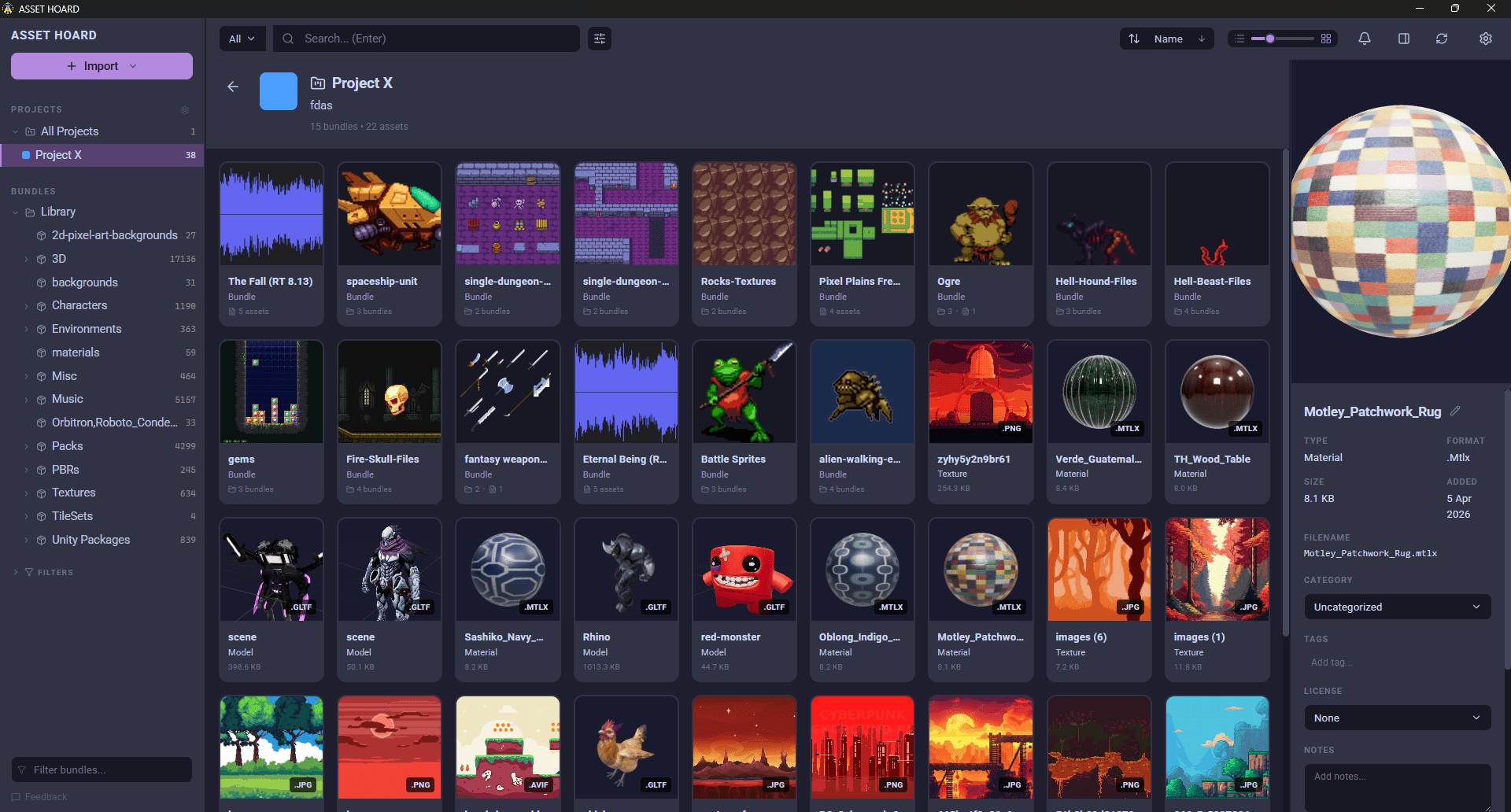
Until now, indie developers have not had a purpose-built asset manager made for them. That is what AssetHoard is for.
The AssetHoard Team