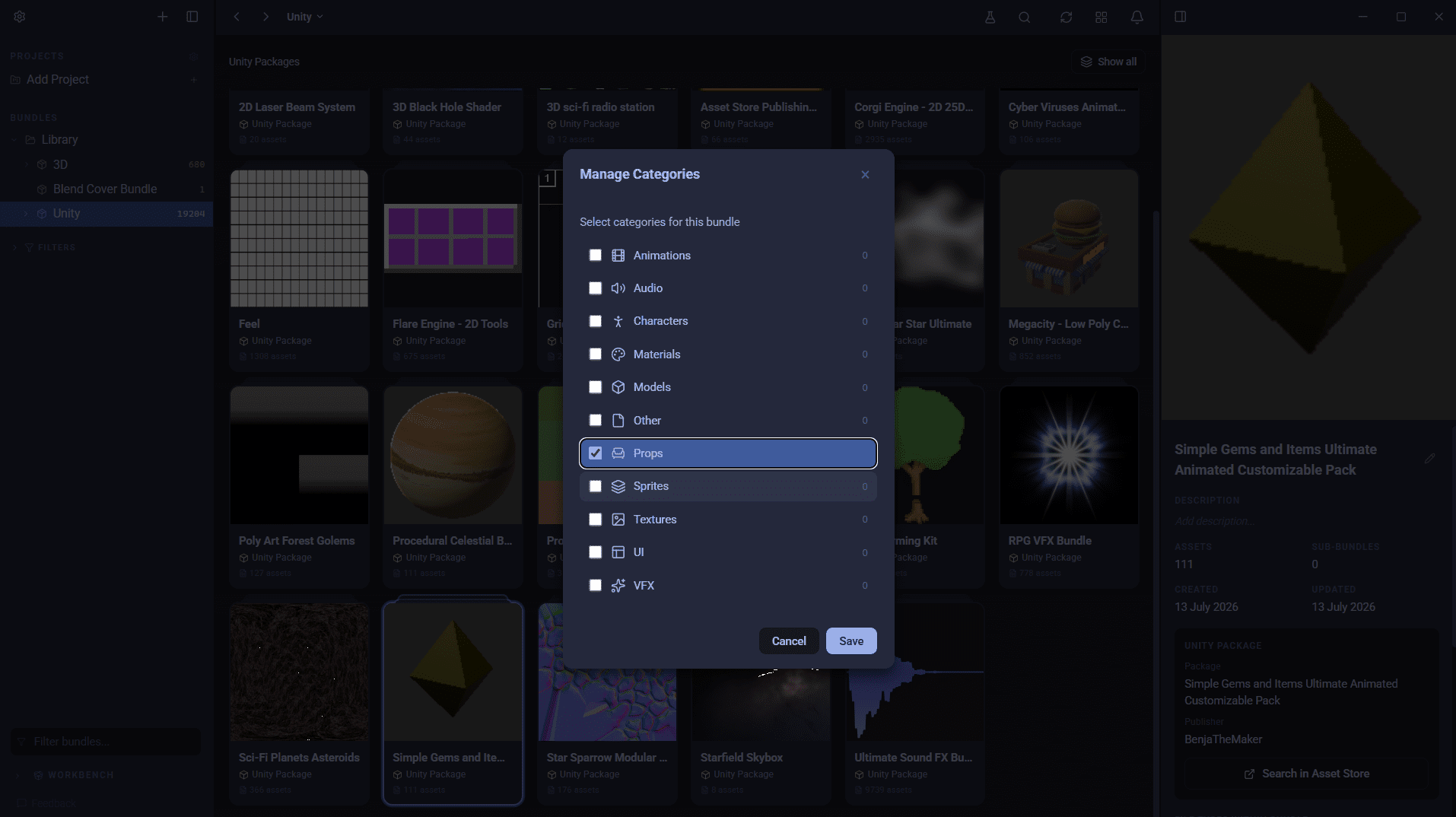
A .unitypackage file is Unity's asset package format: a gzip-compressed tar archive that bundles assets together with their .meta files, so Unity can recreate them in another project with the same folder paths, import settings and references. Everything you buy on the Unity Asset Store downloads as one, and so do most Unity packs from Humble Bundle, itch.io and publishers' own sites. This post covers what is inside a .unitypackage, how to import and create one, and how to see what it contains without opening Unity.
What is inside a .unitypackage file?
Extract one and the layout is not what you might expect. Instead of a folder tree that mirrors the project, you get one folder per asset, each named after that asset's GUID, a long hexadecimal ID such as 8a3c5f1e2b.... Inside each folder:
| File | What it holds |
|---|---|
asset |
The file itself (a texture, model, script, prefab and so on), renamed to just asset |
asset.meta |
Unity's import settings for the file, and its GUID |
pathname |
A one-line text file with the path the asset is restored to, such as Assets/Characters/Knight/Knight.fbx |
preview.png |
The thumbnail Unity generated for the asset, when there is one |
Folders in the package get a GUID folder too, but with no asset file.
The GUIDs are the point of the format. Unity assets refer to each other by GUID rather than by file path, so a material knows which texture it uses and a prefab knows which mesh it uses. Keeping the GUIDs means those references survive the trip from one project to another.
How to import a .unitypackage into Unity
- Open the project you want to import into.
- Double-click the
.unitypackagefile, or choose Assets, Import Package, Custom Package in the editor and select it. - Unity shows an import window listing everything in the package. Untick anything you do not want.
- Click Import.
Asset Store purchases follow the same path through the Package Manager: open My Assets, download the package, then click Import.
A package exported from a newer version of Unity may not import cleanly into an older one, so if a pack throws errors, check which Unity version it was made for.
How to create a .unitypackage
- In the Project window, select the assets or folders you want to share.
- Choose Assets, Export Package.
- Leave Include dependencies ticked so materials, textures and scripts the assets rely on come along too.
- Click Export and choose where to save the file.
How to open a .unitypackage without Unity
Because a .unitypackage is a tar.gz archive, you do not need Unity to look inside:
- 7-Zip on Windows opens it in two steps: the gzip layer first, then the tar inside.
- The
tarcommand, built into Windows 10 and later, macOS and Linux, extracts it in one go:tar -xzf MyPack.unitypackage -C extracted.
The catch is the layout described above. You get hundreds of GUID-named folders, each with a file called asset, and the only clue to what each one is sits in its pathname file. You can script your way round that, but you still end up with loose files and no previews, and you have learned nothing about the other 299 packages in your library.
That is why so many Unity developers import packs into a throwaway project just to see what they bought. We wrote more about that habit, and where Unity keeps your downloads, in how to organise Unity Asset Store downloads.
Previewing .unitypackage files in AssetHoard
AssetHoard reads .unitypackage files directly and catalogues what is inside, without Unity:
- It finds your Asset Store downloads. AssetHoard detects the Asset Store cache on Windows, macOS and Linux and lists every package it finds, with a one-click import for each, or all of them at once. Packages from anywhere else can be dragged straight in.
- Each package becomes a bundle, named after the package and publisher, so you can tag and categorise packs by project or style.
- Assets inside get real previews. Unity's own stored thumbnails are used where they exist, models open in an interactive 3D viewer, non-binary materials render as PBR spheres, audio gets a waveform, and shaders and scripts open as highlighted code.
- You can drag assets into Unity when you are ready to use them.
Prefabs are listed with their Unity thumbnail when the package has one, but their contents are not parsed yet, and materials saved in Unity's binary format are not shown. The Unity packages documentation covers the details, and AssetHoard for Unity has the overview.
Frequently asked questions
A .unitypackage is Unity's asset package format. It is a gzip-compressed tar archive that bundles assets together with their .meta files, so Unity can recreate them in another project with the same folder paths, import settings and GUIDs. Unity Asset Store purchases and many third-party asset packs are distributed as .unitypackage files.
A .unitypackage is a tar.gz archive, so 7-Zip can open it, and the tar command built into Windows 10 and later, macOS and Linux can extract it. Inside, each asset sits in a folder named after its GUID, with the file renamed to 'asset' and its original path stored in a text file called 'pathname'. An asset manager like AssetHoard can read the package directly and show thumbnails and previews of the assets inside.
With your project open, double-click the .unitypackage file, or choose Assets, Import Package, Custom Package in the editor. Unity shows the package contents so you can untick anything you do not want, then click Import.
On Windows they are in %APPDATA%\Unity\Asset Store-5.x, on macOS in ~/Library/Unity/Asset Store-5.x, and on Linux in ~/.local/share/unity3d/Asset Store-5.x. Packages are organised in folders by publisher, then by package name.
Only import packages from sources you trust. A package can contain C# scripts, including editor scripts that run inside the Unity editor once they compile. Packages from the official Asset Store are reviewed, but packs from elsewhere are not.