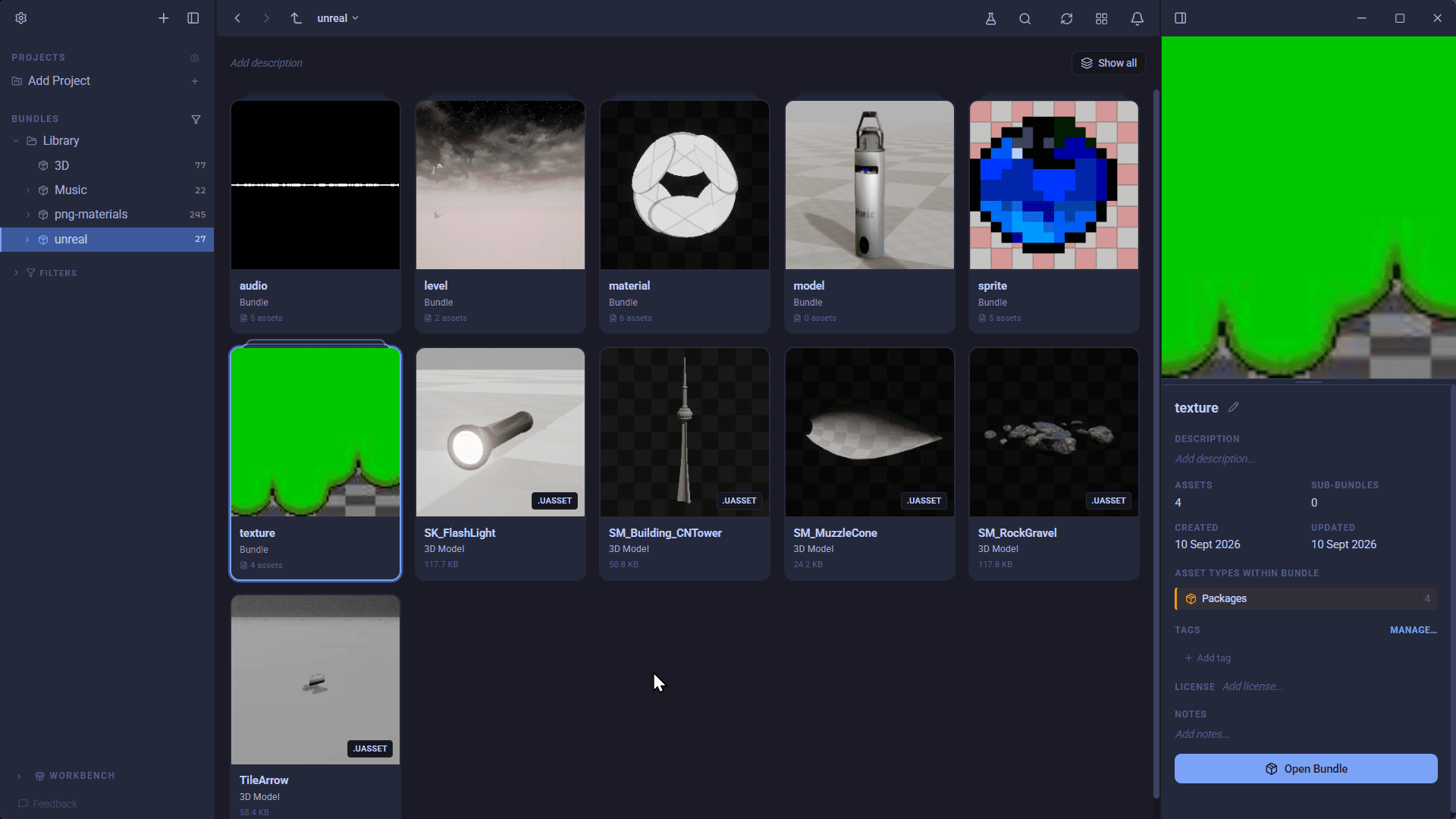
A .uasset file is Unreal Engine's package format: a binary file that holds one asset, such as a static mesh, texture, material, sound or Blueprint, along with a header listing everything that asset depends on. Every asset in an Unreal project's Content folder is a .uasset, apart from levels, which are .umap files in the same format. This post covers what is inside one, how .umap, .uexp and cooked packages differ, and how to open a .uasset with or without the Unreal Editor.
What is inside a .uasset file?
A .uasset is not a mesh file or an image file with a different extension. It is a container that Unreal serialises its own objects into, and it has a few parts:
- A package summary with the engine version that saved it, flags and offsets to the rest of the file.
- A name table of every name the package uses, so each one is stored only once.
- An import table listing the objects this package depends on: classes from
/Script/, engine content from/Engine/, and other assets in your project under/Game/. - An export table listing the objects this package defines, usually one main asset plus any sub-objects it owns.
- The serialised object data, such as vertex buffers, texture mips or audio.
- In editor packages, a thumbnail of the asset, which is what the Content Browser shows.
The import table is why moving .uasset files around in Windows Explorer or Finder breaks things. A material refers to its textures by /Game/ paths, so if the textures move without Unreal knowing, the references point at nothing.
.uasset, .umap, .uexp and .ubulk
| Extension | What it is |
|---|---|
.uasset |
A package holding one asset: mesh, texture, material, sound, Blueprint, data table and so on |
.umap |
A package holding a level, with the actors placed in it |
.uexp |
In cooked builds, the object data split out of a .uasset, which keeps only the header |
.ubulk |
In cooked builds, large bulk data such as texture mips, split out again |
.pak, .utoc, .ucas |
Containers a shipped game packs its cooked packages into |
Uncooked and cooked packages
The .uasset files in your project's Content folder are uncooked. They keep editor-only data such as thumbnails and source audio, and they are what the Unreal Editor loads.
When you package a game, Unreal cooks that content for the target platform: it strips editor-only data, converts textures and audio to platform formats, splits packages into .uasset and .uexp files, and usually seals the lot inside .pak or IoStore containers. Cooked packages are built to load fast in a game, not to be edited, so most tools that work with project content expect uncooked packages.
How to open a .uasset file in Unreal Engine
- Use a project of the same or a newer engine version. An asset saved in a newer version of Unreal cannot be loaded by an older one. Older assets do open in newer versions, and are upgraded when you save them.
- Copy it into the project's
Contentfolder, keeping its folder structure. It appears in the Content Browser, and its/Game/references resolve as long as the assets it depends on are where it expects them. - To move assets between projects, use Migrate. Right-click the asset in the Content Browser and choose Asset Actions, Migrate. Unreal copies the asset and everything it references into the other project's
Contentfolder with the paths intact. - To get a mesh or texture out of Unreal, right-click it and choose Asset Actions, Export. Meshes export as FBX, textures as image files.
You cannot read a .uasset in a text editor or an image viewer, and there is no direct converter to FBX or PNG. The editor is the usual way in, which is slow when all you want is to see what a file is.
How to open a .uasset without the Unreal Editor
AssetHoard reads .uasset and .umap packages directly from disk. There is no editor to launch and no plugin to install in Unreal:
- Packages are classified by what they contain. AssetHoard reads the main object in each package, so meshes show up as 3D models, PaperSprites and flipbooks as sprites, SoundWaves and SoundCues as audio, and textures and materials as themselves.
- Previews are real. Static and skeletal meshes open in an interactive 3D viewer, flipbooks play at their real frame rate, and audio plays in place. Anything else shows the thumbnail Unreal baked into the package.
- Dependencies are mapped. Every
/Game/reference is matched against your library, so you can see which textures a material uses and which are missing. - You can export with dependencies. Drag an asset out, or right-click and export it, and AssetHoard writes a
Content-shaped folder with everything it references, ready to drop into another project. - Your project is never changed. AssetHoard only reads packages.
It fully parses uncooked packages from UE4.10 to UE5.5. Packages from UE5.6 and newer import as generic packages for now, and cooked packages classify and resolve references but fall back to an icon instead of a rich preview. The Unreal packages documentation has the details, and AssetHoard for Unreal Engine has the overview.
If you are still choosing an engine, our Unreal vs Unity comparison may help.
Frequently asked questions
A .uasset is Unreal Engine's package format. It is a binary file that holds one asset, such as a static mesh, texture, material, sound or Blueprint, together with a header listing the other packages it depends on. Every asset in an Unreal project's Content folder is stored as a .uasset, apart from levels, which use .umap.
Copy it into the Content folder of an Unreal project made with the same or a newer engine version, keeping its folder structure, and it appears in the Content Browser. To move assets between projects with their dependencies, use the editor's Migrate option rather than copying files by hand. To browse and preview .uasset files without opening the editor, use a tool that reads the format directly, such as AssetHoard.
No. An asset saved in a newer engine version cannot be loaded by an older one. Assets from older versions do open in newer versions, and are upgraded when you save them.
Both use the same package format. A .umap holds a level, with the actors placed in it. A .uasset holds any other kind of asset, such as a mesh, texture, material, sound or Blueprint.
When Unreal cooks a game for release, it can split each package in two. The .uasset keeps the header, and the .uexp holds the serialised object data. Large data such as texture mips can go into a third .ubulk file. Packages in an editor project's Content folder are normally a single .uasset.
Not directly, because a .uasset is Unreal's own format. Open the project in the Unreal Editor, right-click the mesh in the Content Browser, choose Asset Actions, then Export, and save it as FBX. Textures can be exported as image files the same way.