← All Releases
Watched folders got a rewrite and now track changes
AssetHoard is a local-first asset manager for game developers and digital artists. This release improves watched folders and re-imports, and speeds up launches on big libraries.
📂 Watched folders
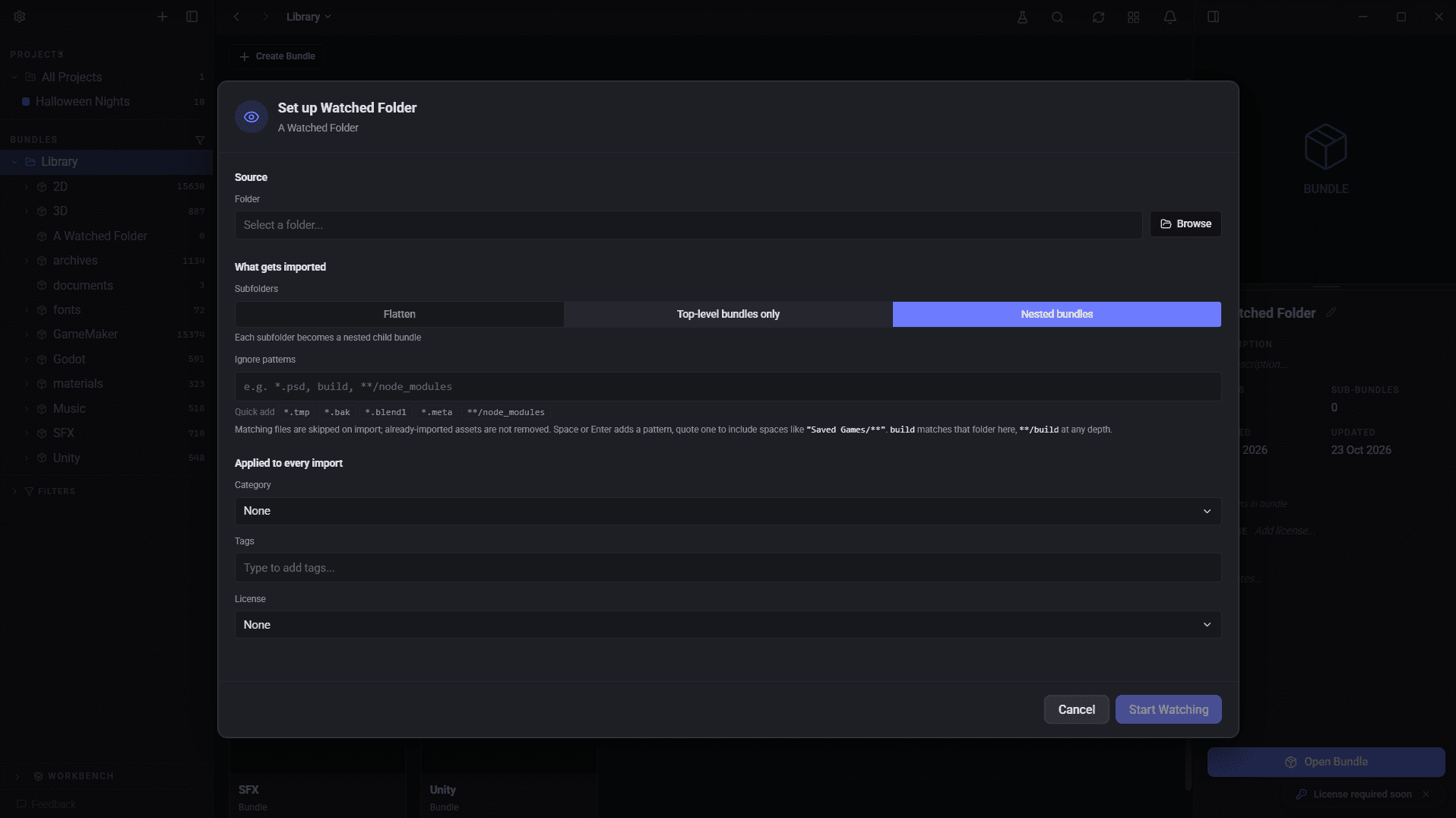
- Renames and moves. Renaming or moving a file or folder, including case-only renames, keeps the asset's tags, category, bundle and project links. This also works for moves made while AssetHoard was closed. Mirrored bundles move with their folders. Existing libraries are catalogued in the background.
- Disconnected drives. Assets on a disconnected drive or network share are paused instead of marked missing. If the drive comes back under a different letter, AssetHoard picks it up.
- Deleted files. Files are marked missing after a short delay, so saving over a file doesn't trigger it.
- Removed assets. Assets you remove from a watched folder stay removed through edits, rescans and renames. Undo or re-import to bring them back.
- Nested watched folders. The innermost watched folder owns its files. You'll see a preview with exact counts before anything moves.
- Deleted archives. Zips and packages whose file has been deleted show a badge and a clean-up button. Removing them can be undone.
- Renamed mirrored bundles still receive new files from their folder.
More in the watched folders docs.
🔁 Re-imports
- Re-importing a changed file updates the existing asset instead of adding a duplicate. An asset already in a bundle is never added to a second one.
- Re-importing files already in your library tells you which bundle they're in, and the notification opens that bundle.
⚡ Big libraries
- Search. Text search no longer waits for image search, and the search index is reused on launch instead of rebuilt.
- Image search. Archives are processed one at a time and progress is saved as it goes, so quitting partway through doesn't lose it.
- Launch. One-off upgrade jobs run once or in the background instead of on every launch.
- Imports. Pixel-art detection runs after import, and is more accurate on images with transparency.
- 3D previews. Textures are scaled down and shared textures load once, so large models open faster and use less memory.
🐛 Fixes
- New MCP
open_in_apptool opens an asset, bundle or project in AssetHoard and brings the window to the front. - Pixel-art thumbnails from watched folder imports are no longer squashed, and the grid refreshes when a watched import finishes.
- The Settings sidebar is grouped into sections.
Happy hoarding.