GameMaker support, and faster 3D imports
AssetHoard is a local-first asset manager for game developers and digital artists, and this release teaches it to read GameMaker projects. Drop a project, a .yymps local package or a .yyz export into your library and it recognises, types and links the resources inside, no unpacking required. Alongside that: lighter and faster 3D imports and previews, and a round of speed-ups for large libraries and imports.
🎮 GameMaker projects, understood
AssetHoard now speaks GameMaker. It reads the resources inside a project, a .yymps local package or a .yyz export, or loose .yy files directly, and builds them into first-class assets. Because it parses and links every resource, a GameMaker import takes longer than a plain .zip. Give it a moment; the payoff is a fully linked GameMaker library.
- Loose
.yyresources are recognised and typed on the same import path as everything else, so sprites, tilesets, objects, sounds, fonts and rooms land as proper assets. - Sprites preview as animations, playing their frames like any other animated asset.
- Tilesets preview with their sheet, a grid overlay and tile stats.
- Objects preview with their assigned sprite and their linked references laid out.
- Sounds play their sibling audio, and fonts render a glyph atlas.
- Rooms preview as syntax-highlighted source, so you can read the
.yyat a glance. - Cross-resource references are resolved on demand and grouped in the details panel by object, tileset and room, so you can see what points at what.
- Inside archives too:
.yyresources withinzip/.yyzarchives and.yympslocal packages are indexed and previewed the same way, with tileset previews and thumbnails working straight from.yympspackages.
🧊 Faster, lighter 3D importing and previews
3D models can now be rendered natively at import, and the interactive preview got leaner and quicker to appear.
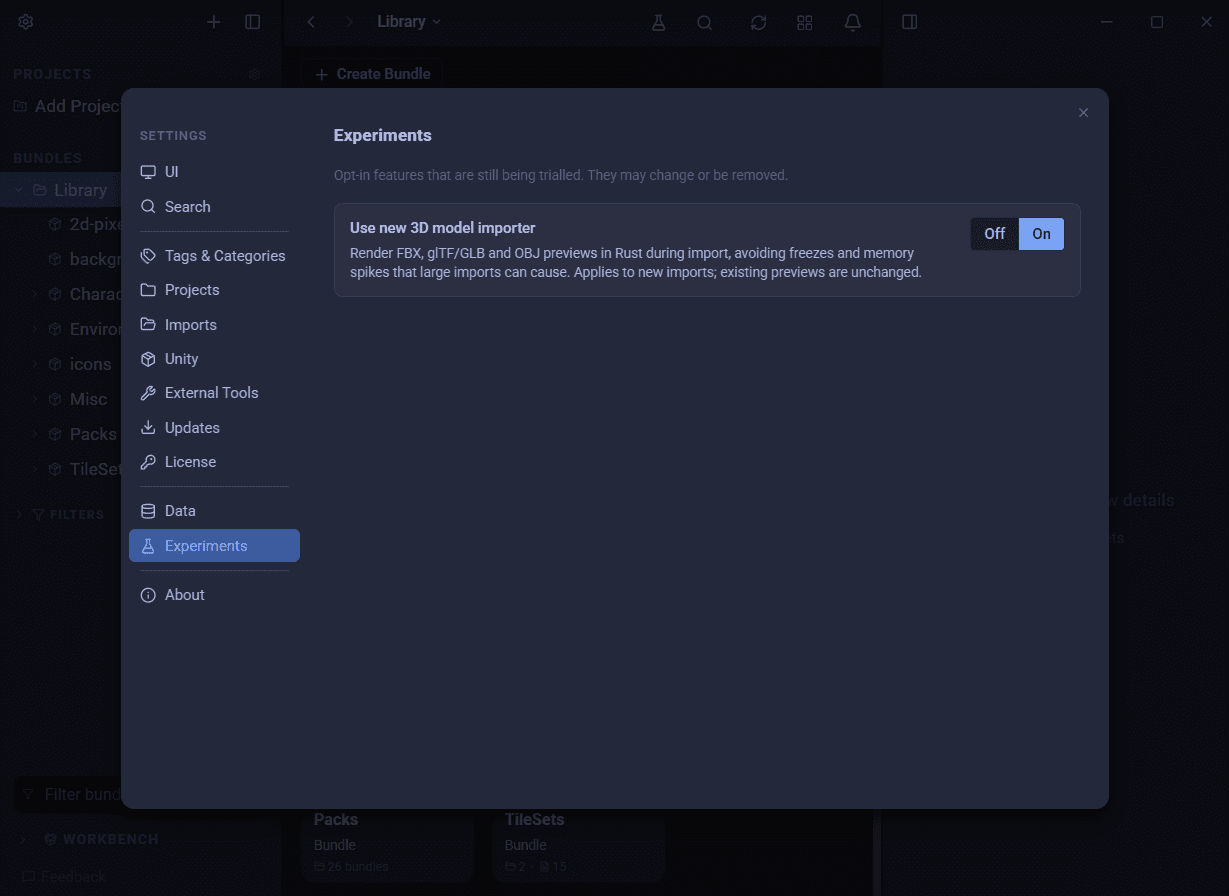
- Opt in to try it. The ultra-fast 3D importer is behind an experiment flag while it settles. Go to
Settings→Experimentsand toggle the 3D importer on.
- Native thumbnail rendering for
FBX,glTF/GLBandOBJmodels, producing base-colour textured thumbnails on a transparent background. - Geometry first, textures after: glTF and FBX previews now show clay-shaded geometry immediately, then stream in downscaled textures progressively instead of stalling on a big texture load.
- Textures resolve inside archives: embedded and external FBX textures, and a packaged glTF's own images, are staged so previews render properly textured from within an archive.
- An indoor backdrop now lights model thumbnails and the main 3D preview by default, and the preview gains a theme-visible resize bar you can shrink.
- Tidier memory: model and texture data is released when you navigate away, and an FBX loader leak that held parse state after every load is fixed, so long browsing sessions no longer creep upward.
📦 Archives get a proper home
- Archives now have their own source panel, with reveal in folder, copy path, and open archive.
- Indexing stops re-running every startup: archive image sources are resolved before embedding, so once an archive is indexed it stays indexed.
⚡ Snappier large libraries and imports
Several fixes target libraries and imports that had grown large.
- Big libraries stop freezing: a refetch loop that could lock up large libraries is fixed.
- Faster imports, especially big ones: scanning folders, looking up thumbnails and generating package thumbnails now spread across all your CPU cores, so a large folder or package finishes sooner and the app stays responsive while it works.
- "Package is empty" no longer flashes: a package's contents are loaded on open, so a freshly imported package shows what's inside straight away.
Notifications have had a once-over this release, and a fuller rewrite is coming next release for a cleaner, faster and more informative import notification.
🐛 Polish and fixes
- Navigation history opens on right-click of the back/forward buttons. The old Alt+click is retired.
- Audio in packages autoplays correctly again.
- A "Generating waveforms" step shows during audio imports, and later phases plus per-package progress now surface in the notification, so a long import never looks stuck.
- Audio bundle covers show a music glyph instead of a loading placeholder that never settled, and music bundles can carry thumbnails again.
- Resumed imports set covers on nested parent bundles, not just the innermost one.
- Watch imports honour the folder's subfolder mode, matching a manual import of the same folder.
- Prefabs with a preview image can be used as bundle covers; the rest are hidden.
- Window Resize on linux now shows the mouse resize-cursors
🛠 Under the hood
- A native Rust model-thumbnail renderer, now handling non-triangle-list glTF primitives, underpins the faster-import work above.
- A new normal/verbose log-detail setting, with per-model heap logging behind it, added while diagnosing import memory use.
Happy hoarding.