← All Releases
A proper control panel for the 3D and material preview
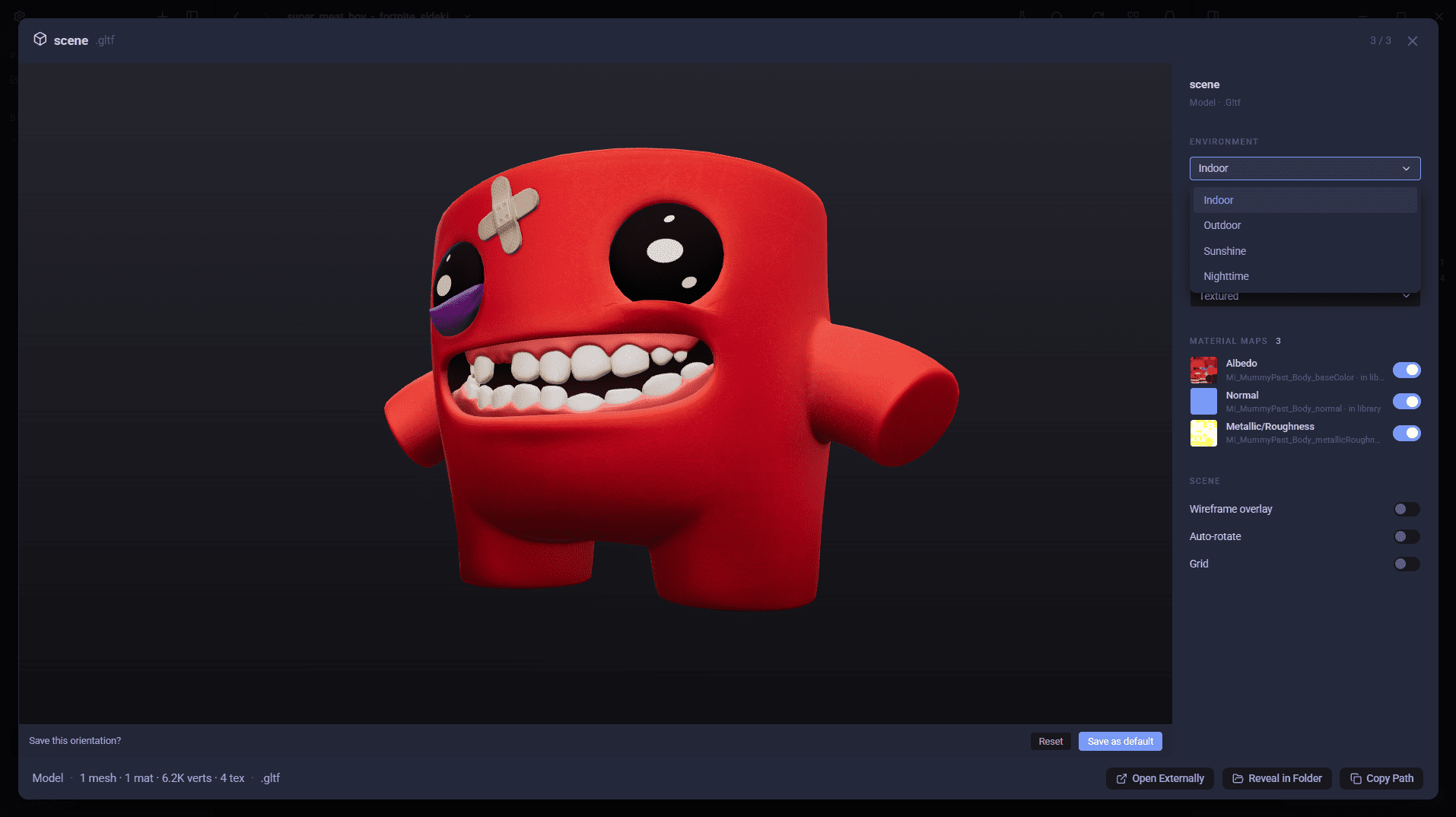
AssetHoard is a local-first asset manager for game developers and digital artists, and this release gives its expanded preview a real control panel: live environment, surface, mesh and material settings you can drive while the model spins. Alongside that, saved default views, smoother selection and navigation, tidier dropdowns everywhere, and a round of fixes for larger libraries.
🧊 A proper 3D and material preview
The expanded preview grew a real control panel this release: environment, surface, mesh and material settings you can drive while the model spins.
- Live controls for the expanded preview: environment, surface, mesh and scene settings sit in a panel you can drive while the model spins.
- The right controls for the right asset: models get Surface controls, materials get a Preview mesh picker.
- Material maps, one toggle each: every texture map on a material is listed with a live enable/disable switch, so you can see exactly what each map contributes.
- Roles read from the file, not guessed: texture slots come straight out of the GLTF and FBX data instead of being inferred from filenames.
- Fix a missing texture in place: when a model points at a texture that isn't there, AssetHoard ranks likely replacements and lets you pick one (or browse for it). The choice is saved as an override you can revert.
- Harder-to-render textures still preview: TGA, DDS and EXR references decode on demand rather than showing nothing.
📐 Other 3D improvements
.sbsarmaterials get a thumbnail, extracted from the embedded icon.- Save a default view (orientation and zoom) for a 3D model, so it always opens framed the way you want, now including Blender and packaged models.
🖼 2D image backgrounds
See how a sprite or image looks on dark, light or transparent backgrounds.
- Pin a light or dark backdrop per 2D image instead of the default transparent one.
🖱 Smoother selection and navigation
- Back/forward history popout: press and hold (or Alt+click) the back/forward buttons to jump to any point in your navigation history.
- Scroll position is remembered per view, so stepping in and out of bundles keeps your place.
- Marquee drags auto-scroll the grid when you reach the top or bottom edge.
- The scrollbar no longer clears your selection when you grab it.
🔽 UI tidy-ups
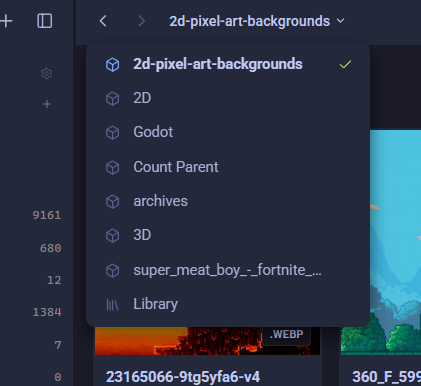
- Dropdown consistency: styling and behaviour across the app has been standardised.
- BPM shows on audio assets when it's been tagged.
- Sort chevrons point the right way again, with a stable name tie-break so equal rows keep a consistent order.
- Light theme polish: darker subtle text, zoom buttons visible on white backgrounds, audio waveforms on a proper background, models without stray gridlines, transparent 3D thumbnail captures, and tidier file-extension badges.
🗄 Solid backups and big libraries
Several issues that only bit larger libraries are fixed:
- Backups over 4GB now succeed: the backup enables zip64 and streams the database instead of loading the whole thing into memory.
- Assets stay fully searchable on huge libraries.
- Restoring a backup repairs the library: thumbnails, archive caches and missing-file state are rebuilt after a restore.
- Large import resume: UI improvements reduce the intermittent freezes on "Setting covers".
🐛 More polish and fixes
- Manage Tags can remove a tag that's only on some of the selected assets, not just tags shared by all of them.
- Category counts update consistently when you apply a category to a bundle.
- "Reveal in folder" falls back to opening the containing folder when it can't highlight the file, instead of just failing.
- Flicker on import when setting covers is fixed.
- Packaged
.gltfmodels render correctly: a bug meant their declared.binbuffers weren't being staged alongside the model. - Clear All Data in settings now clears the archive member cache too.
- Image indexing settles down: assets whose file is missing on disk no longer keep re-indexing every launch.
Happy hoarding.