Browse inside archives without unpacking them
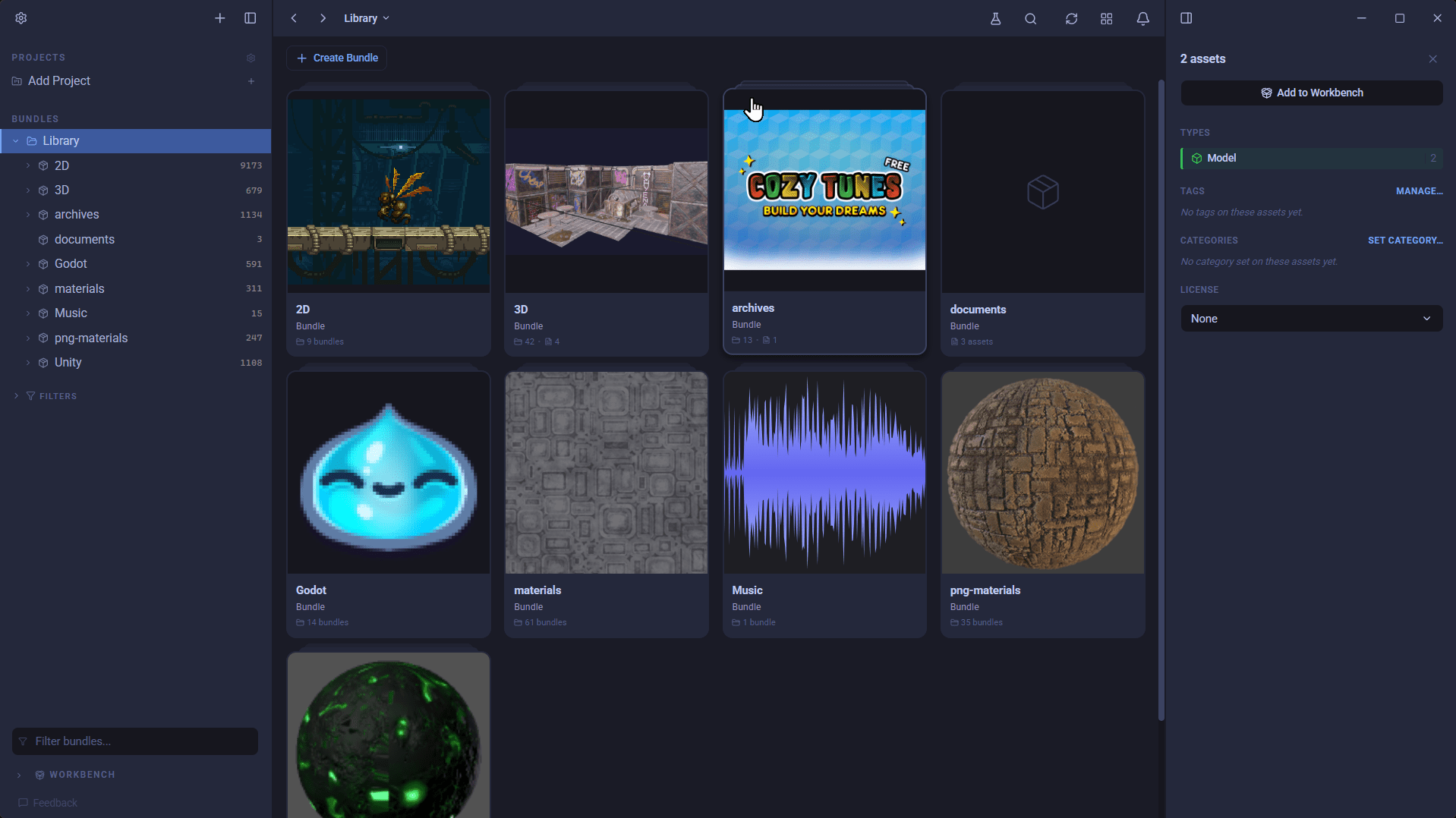
Archives now open in place, so you can browse and preview what's inside without unpacking anything. Alongside that: faster package imports, reimports that keep your tags and licences, licences that cascade through a folder, and sidebar improvements.
📦 Browse inside archives, without unpacking them
Zip, RAR, tar, tar.gz, .gz and Unity .unitypackage files now open in place. Drop one into your library and AssetHoard reads what's inside and catalogues it as a package, whether it's sitting on its own, alongside other files, or nested in a folder. Your original archive stays put, with no second copy on disk.
- Browse the contents as a proper bundle, folders and all, with thumbnails and covers.
- Preview members straight from the archive:
- Audio shows a real waveform and plays on demand.
- 3D models open an interactive viewer to orbit, zoom and play their animations, loaded only when you ask with "View in 3D".
- Unity materials render as a spinning, textured material sphere you can rotate, pan and zoom.
- Images, text, code, markdown, PDFs, fonts and GIFs (including frame controls) all preview from inside the archive.
- Blender
.blendfiles inside an archive generate 3D previews and thumbnails, just like loose ones.
- Metadata for packaged assets: image dimensions, sprite frame counts, audio duration and font info now show in the details panel.
- Junk files are skipped: the operating-system and editor clutter archives often carry (
__MACOSX,.DS_Store,._files,Thumbs.db,.git, Godot's.import/.godotcaches) is left out, so you only see the real assets.
Note: password-protected and multi-volume RARs aren't supported. They're declined on import with a clear message rather than importing something broken.
⚡ Faster, clearer unitypackage imports
- Re-importing an unchanged package or archive is instant. AssetHoard fingerprints what you've already indexed and skips it, reported as "already in your library" rather than counted as new. The first re-import after this update re-processes each once to record its fingerprint.
- Step-by-step progress for package imports (reading the package, creating assets, generating thumbnails, generating waveforms) with a live count of members read, so a large import doesn't look frozen.
- Cancel works mid-import. A cancelled import reports how far it got, and Reimport Package resumes from there.
- Importing Unity packages from Settings now behaves like every other import, with progress, cancel and queueing, and each package appears as it lands rather than all at once.
- Unity packages from Settings stay tidy, landing inside a single "Unity Packages" bundle instead of scattering dozens of bundles across your library root.
🔄 Reimport
Reimporting assets and packages now runs through the same pipeline as a fresh import:
- Full step-by-step progress with a working cancel.
- Reimporting a changed audio file now refreshes its waveform, and model and material previews regenerate instead of vanishing.
- Your tags, categories, licences and manual render-profile choices are kept through an update or replace import, instead of being wiped.
- Files that have gone missing on disk are named, not silently skipped.
- Godot
.tresmaterial previews re-bake when the file changes, instead of keeping a stale sphere.
🗂 Smoother bundle and sidebar workflow
- Merge bundles: select several, right-click the one to keep, and choose Manage > Merge to fold the rest into it. Contents move across intact, and Ctrl+Z undoes the merge.
- Group a selection into a new bundle in one step via the right-click "Send to" submenu, no need to create the bundle first. "Send to" now gathers every destination (a bundle, a new bundle, Workbench, Project) in one place.
- Hover to open while dragging: hover over a collapsed bundle's chevron mid-drag and its tree opens after a moment, so you can drill into a subfolder and drop without stopping to click. Keep hovering to cascade deeper.
- Reveal in Sidebar right-click action for assets and bundles, expanding the tree and scrolling the item into view.
- F2 renames whatever you have selected, an asset's alias or a sub-bundle, not just the bundle you're standing in.
- Bundles created or renamed in the sidebar now sort into alphabetical position immediately, instead of dropping to the bottom until the next launch, and the sidebar scrolls to show where they landed.
- Pressing Enter to save a bundle rename no longer opens the bundle; renaming now lives in the details panel.
📜 Licences that cascade
- Setting a licence on a bundle now asks whether to apply it to everything inside (assets and sub-bundles), undoable with Ctrl+Z.
- On import, a LICENSE file detected in a folder now applies to that folder's contents, not just its bundle, with nested folders inheriting the nearest parent's licence.
🖼 Covers, search and more
- Cover image improvements: cropped thumbnails always fit their frame even when your setting is "fill", custom bundle covers can be removed to return to the default, and the cropper sets a transparent background.
- Search respects your type filter: filtering by Models, Textures and the like no longer mixes bundles into the results. Searching with no type filter still finds bundles by name.
💬 Tell us what to build next
- Unsupported files now carry an "Ask for support" link that opens a pre-filled feedback form, so telling us which formats you want takes seconds.
- The feedback form was reworked: a bigger composer you can send with Ctrl+Enter
🐛 Polish and fixes
- New bundles show a loading spinner while their covers and thumbnails finish generating, so it's clear they're still being set up rather than empty.
- The window can now be dragged from the top strip while a dialog is open, instead of the titlebar sitting behind the overlay.
- The Blender path in Settings can now be typed or pasted directly, and the browse dialog no longer hides extensionless Linux binaries or macOS app bundles.
- The search bar no longer overflows or gets clipped by the details panel when the toolbar is narrow.
- Images that semantic search couldn't read are no longer marked as permanently unreadable. Fix the file or reimport and it becomes searchable again.
- A changed file in a watched folder now does a targeted refresh of just that asset, instead of reloading the whole library and flickering your view.
- Fixed an error when setting a bundle cover from a
.blendfile with no 3D preview yet. It now explains the preview needs generating rather than failing.
Happy hoarding.