← All Releases
A quick Ctrl+P palette, animated variants, and a tidier window
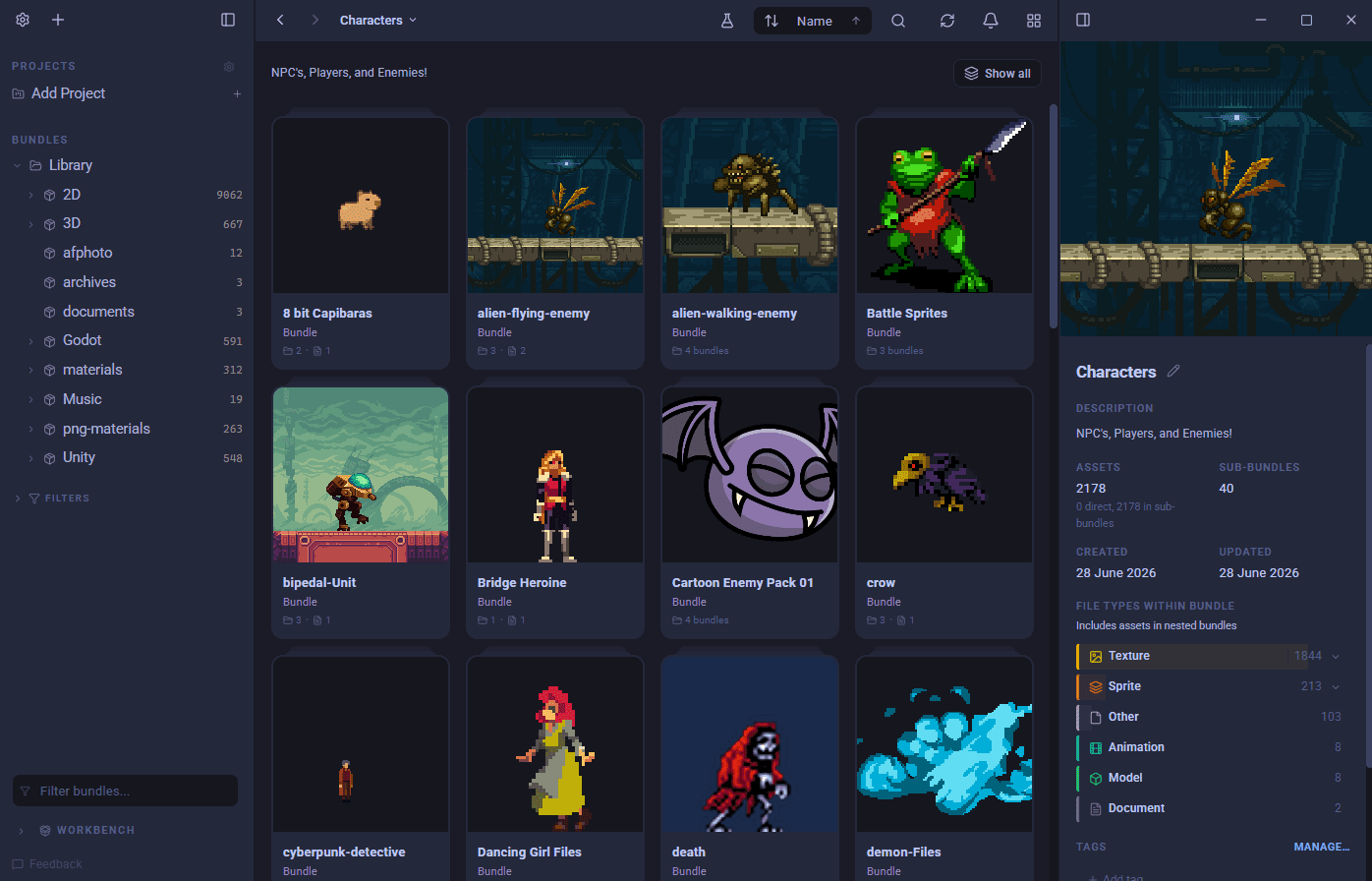
A cleaner window, a faster way to get around, and image search that reaches more of your library. Plus bulk edits for tags and categories, animated variant groups, and calmer imports.
⌨️ Jump anywhere with Ctrl+P
A new quick palette lets you press Ctrl+P and jump straight to any bundle, asset, project or command
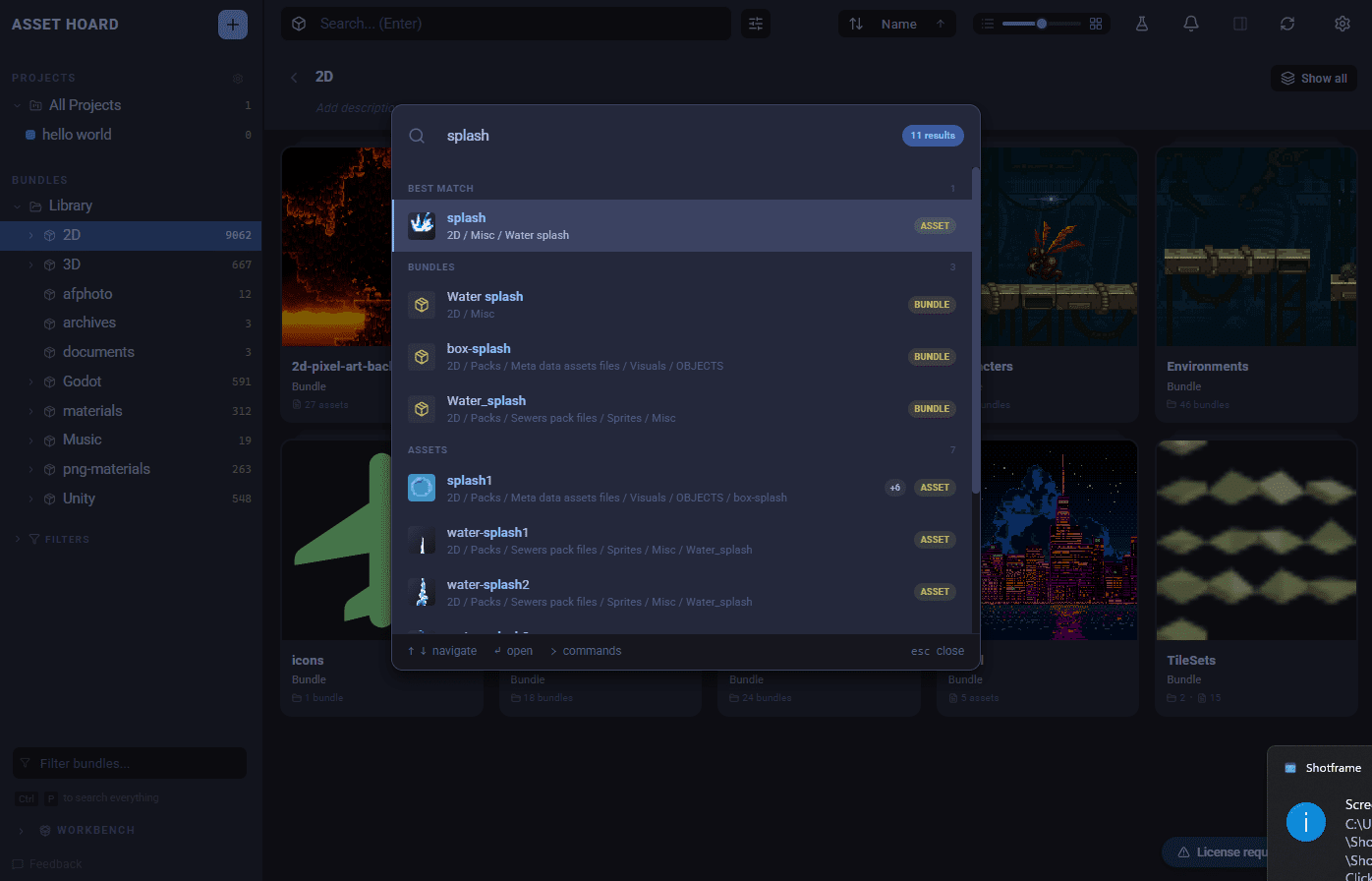
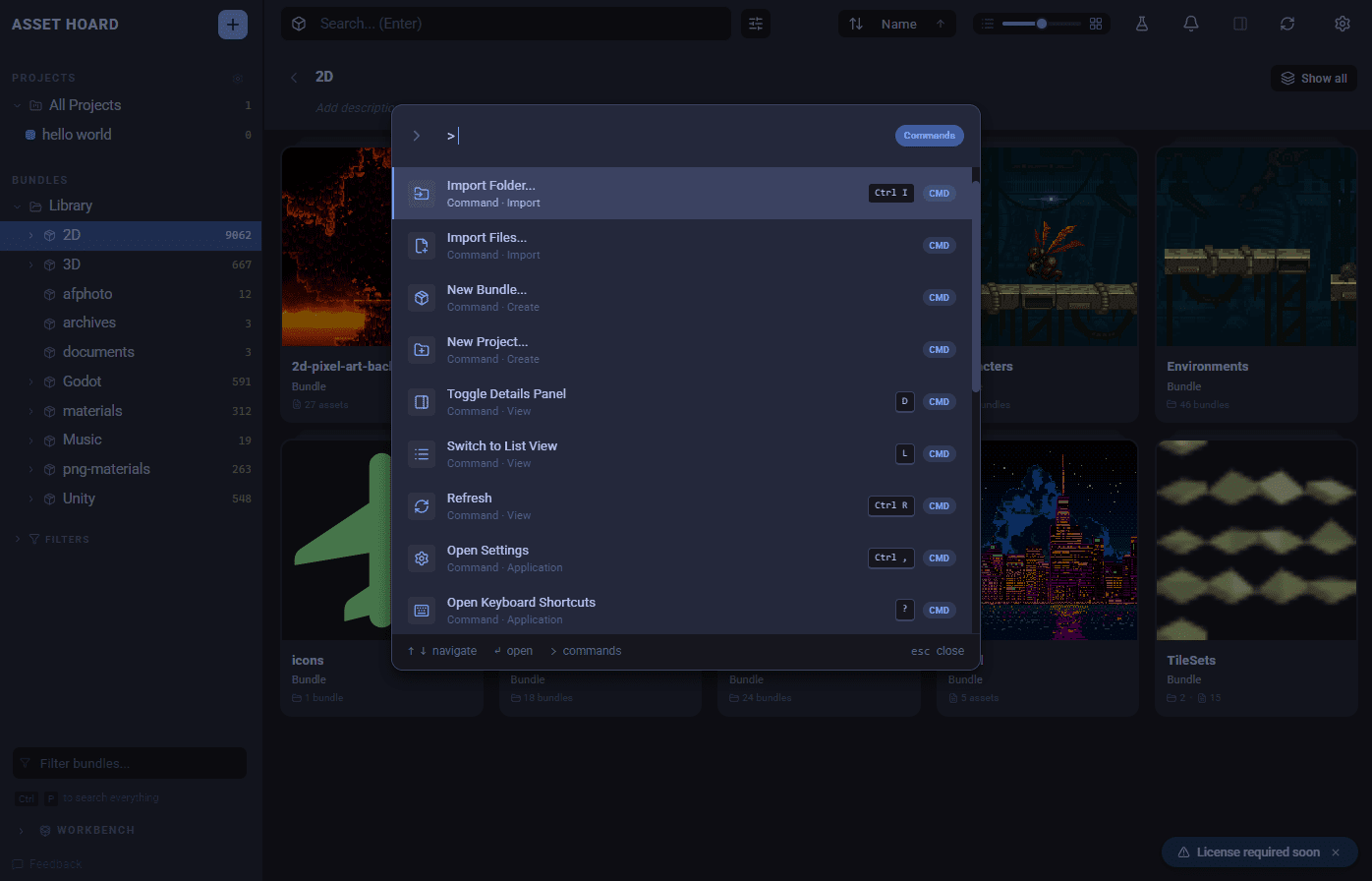
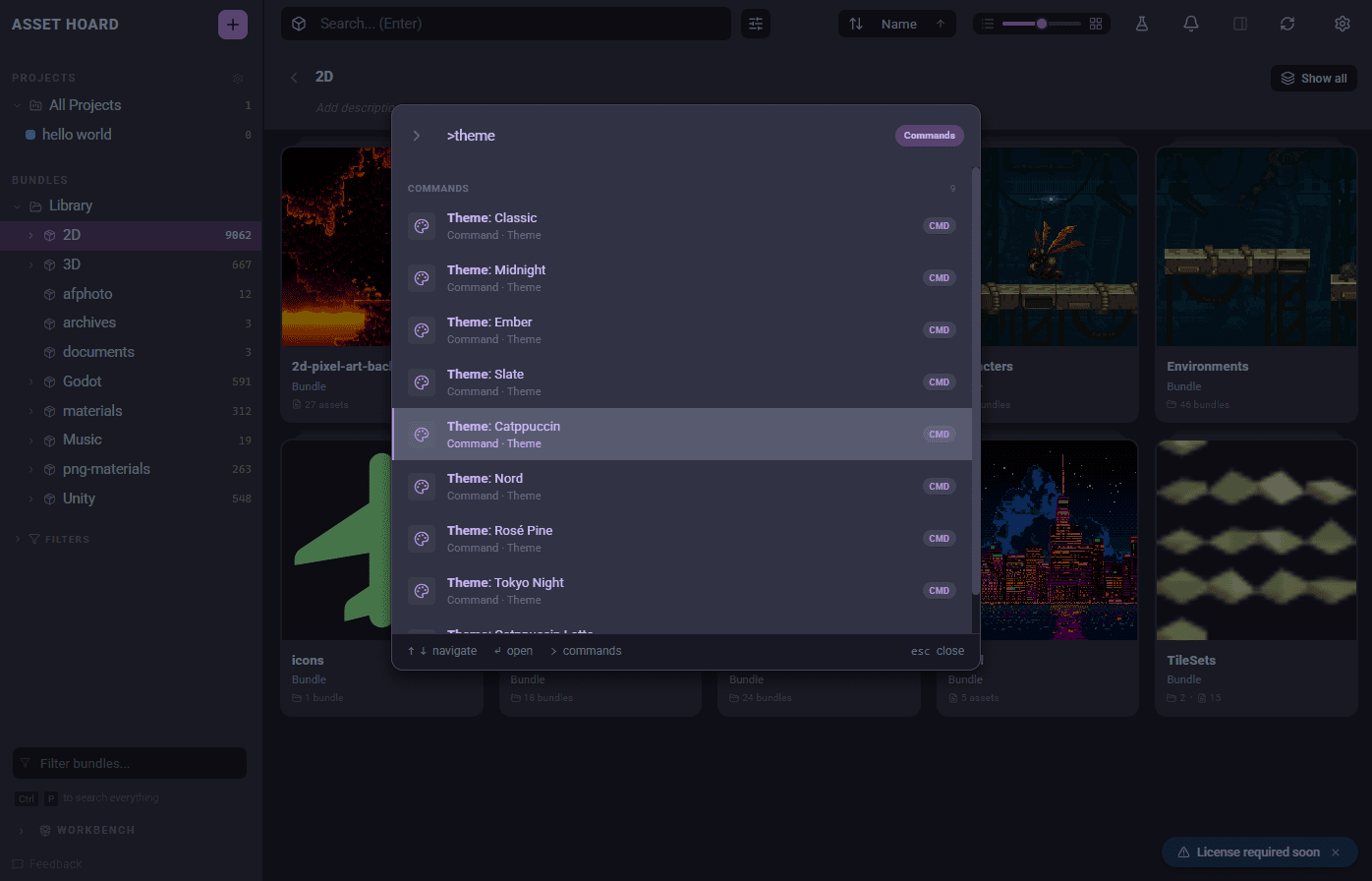
Here's how to drive it:
- Just start typing to search across your bundles, assets and projects at once. The closest hit is lifted to the top as the best match, and any commands that fit come along too.
- Type
>to switch to command mode, where you can import, create a new bundle, flip view options, change theme, open settings and more. - Narrow things down with a scope:
@bundles,@assetsor@projectssearches only that kind. Add a query after it to keep going, such as@assets tree.
🎞 Animated variant groups
- Variant groups can now play their frames in sequence as an animation.
- Drag frames to set the order.
🪟 Redesigned header & toolbar
- We've retired the old title bar in favour of a streamlined toolbar, with sort and view options now sitting together in the search header.
- The import button has moved somewhere more sensible, and everything lines up better.
- Need more room? You can now collapse the left sidebar to give your assets centre stage.
- On Linux, you can now choose how window controls appear: all buttons, close only, or your OS defaults.
- Mac window buttons now sit where they should.
🗂 Bulk tidy-ups for tags and categories
- Select multiple tags or categories to merge or remove them in one go, right from settings.
- Changed your mind? It's all undoable.
🔍 Smarter image search
- Improved image indexing means more of your images turn up in semantic search.
- A single corrupt or mislabelled image no longer stops the whole indexing run.
- Broken images are quietly set aside instead of nagging you as "still pending" forever.
🐛 Polish, fixes, and formats
- TIFF files are now supported.
- A new setting lets you choose how thumbnails fit their frame, Fit or Fill.
- Your sort order is now remembered between restarts.
- Tidier keyboard-shortcuts and import screens.
- A handful of behind-the-scenes stability improvements.
- Set how many imports run at once to match your machine.
- When you remove items from a bundle, we'll now tell you which projects are affected first.
- Created a project, bundle, and workbench default sidebar panel view to make the sidebar contextual to the current position in the library
Happy hoarding.