← All Releases
Dependency tracking, richer bundles, lighter search
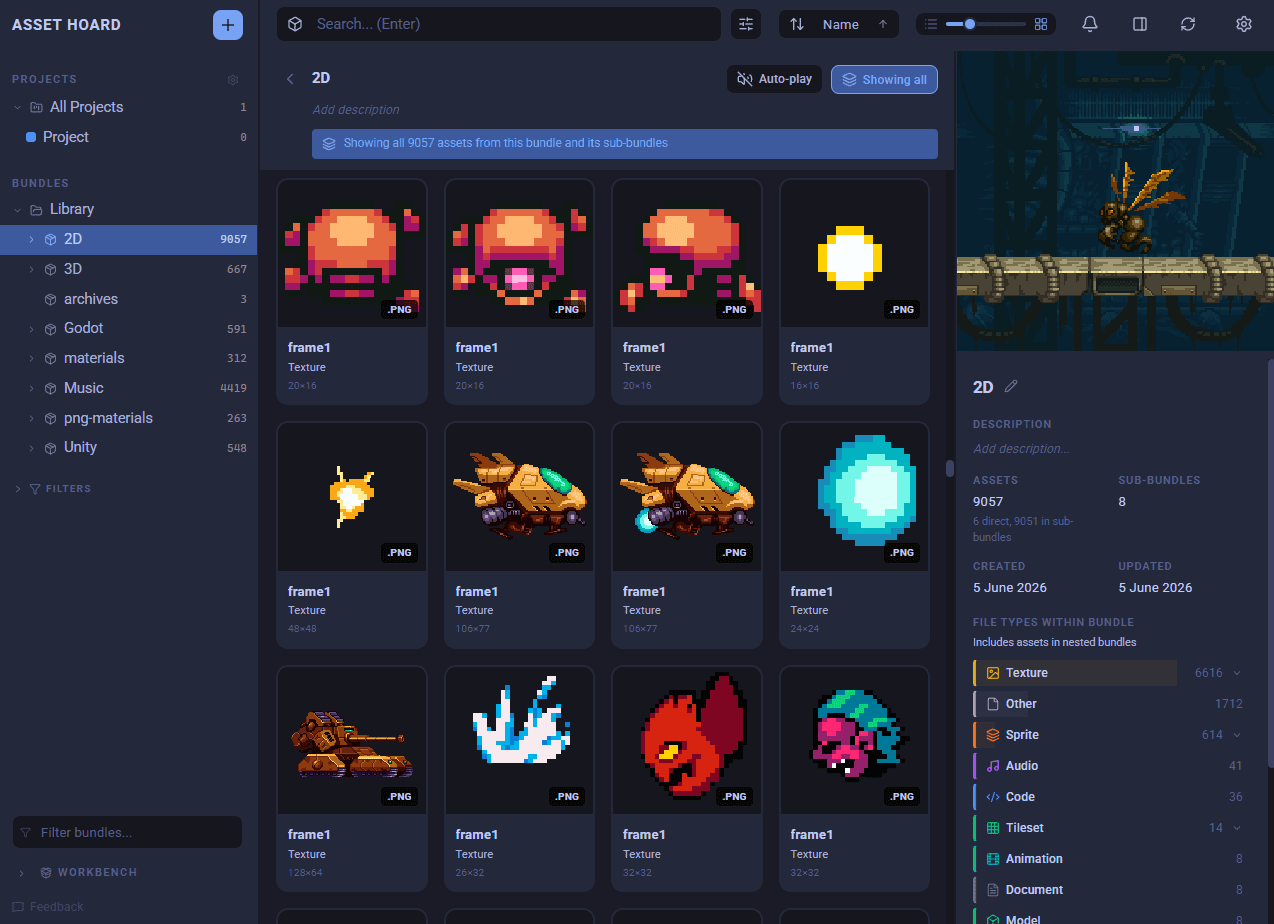
New file types, a clear view of what your 3D models and materials depend on, richer bundles, and a search index that is lighter on memory. Plus a stack of polish and fixes.
📦 More file types supported
- Tiled maps (
.tmx) now show up with proper thumbnails and a live preview, so your level maps look like everything else in your library. - Paint.NET files (
.pdn) are now recognised and imported.
🔗 See what your 3D models and materials depend on
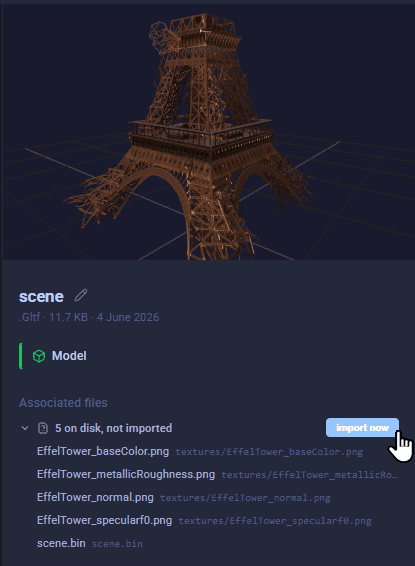
- Selecting a 3D model (OBJ, GLTF/GLB) or material (MTL) now reveals its associated files, grouped into three clear lists: in your library, on disk but not imported, and missing.
- OBJ models flatten their
.mtland the textures it pulls in into a single list, so you can answer "are my textures here?" at a glance. - The missing group is expanded by default, making it easy to diagnose why a preview looks untextured, and every entry has a reveal-in-folder action.
- The "on disk, not imported" group keeps a one-click import action. The same wording now applies to Godot
.tresreferences too.
🗂 Better bundles and organisation
- A new "Show all" toggle lets you flatten a bundle and view every asset inside it at once, including those tucked away in nested bundles, without changing how anything is stored.
- Categories now flow through bundles. A category set on a bundle is reflected on the bundle and the assets within it, and categories show up directly in the tree and on asset rows as tags.
- Bundle summaries are richer, showing the file types contained inside at a glance.
- Projects, tags and categories can now all be managed from the Settings menu, giving you one place to tidy up your library.
- Drag onto breadcrumbs to move items up the hierarchy. Drop assets, bundles, or a mixed selection onto any ancestor breadcrumb to move them in one gesture, without hunting for the target in the sidebar tree. Works in the library, workbench and project views.
- Right-click menus on bundles are now consistent wherever you use them.
- Bundle previews are noticeably faster, especially for bundles with lots of tagged assets.
🔊 Smoother audio
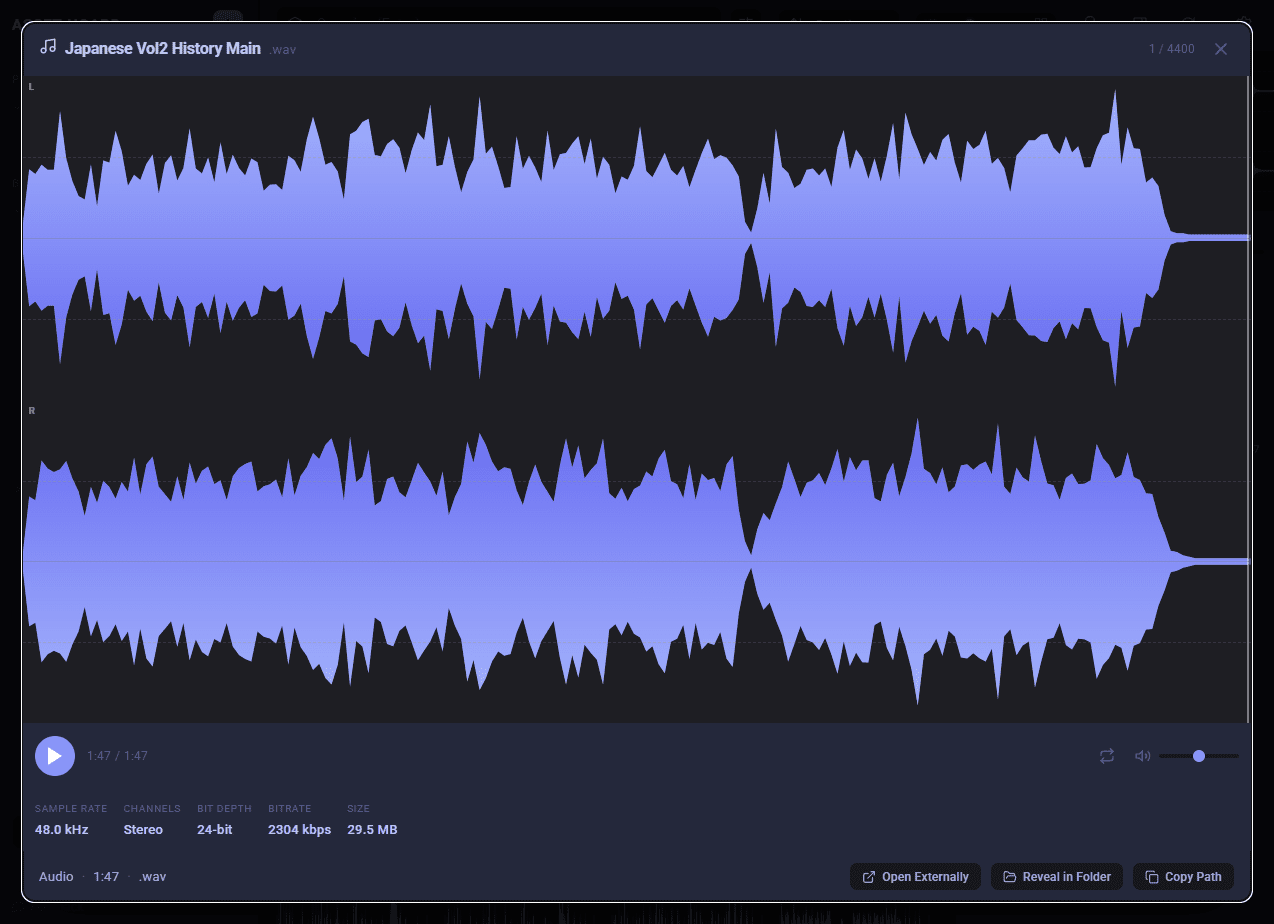
- Audio previews now show separate left and right channel waveforms.
- Hitting play now properly selects and previews the track.
- 🐛 Track length and file size display correctly in list view.
📥 A more reliable import experience
- Import progress now moves steadily forward instead of jumping around.
- 🐛 Fixed a problem where watched-folder imports could appear to get stuck and never finish.
🔍 Faster, lighter search
- Turning search off now frees up around 450 MB of memory and can be cancelled at any time, with indexes kept on disk so switching it back on is quick.
- Search indexing is smarter and lighter, updating as you add assets rather than rebuilding from scratch, so large imports feel snappier.
🐛 Polish and fixes
- Added a "Re-detect Pixel Art" button in Settings > Data that re-runs render-profile auto-detection across your library, so you can fix renderers that look wrong without re-importing. Your manual choices, bundle defaults and category defaults are preserved, and it runs in the background with a cancellable progress bar.
- Fixed a Unity-related settings issue and improved the empty-state experience in settings (it no longer errors on certain operating systems).
- Thumbnails now fit cleanly without being clipped.
- Added protection against malicious oversized images.
- Various stability fixes for Blender packages and previews.
- Project descriptions are now editable in the header to match bundles.
- Semantic Search never ceasing to intialise at startup is now been fixed
Happy hoarding.