An asset manager for 2D artists
Preview Aseprite animations and Krita files directly in your library. Browse your pixel art visually, instead of opening files one by one, and keep every character, tileset, and UI sprite organised for the project you are working on next.
How 2D artists use AssetHoard
Animated Aseprite previews
Play every frame of your Aseprite files without launching the editor. Scrub through animations, inspect tags and loops, and pick the right sprite from a live preview.
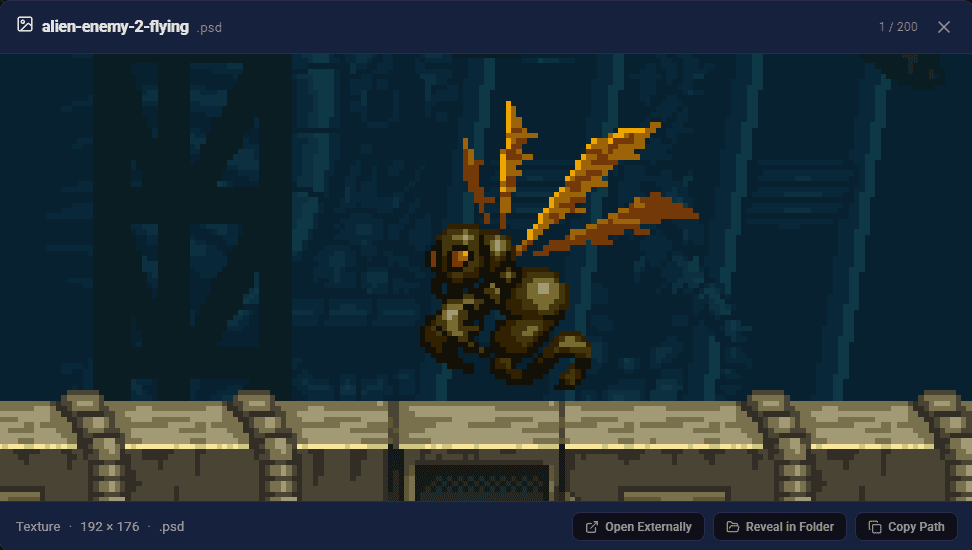
Krita and PSD support
Browse Krita and Photoshop files natively. Full-resolution previews and flattened thumbnails make a painted illustrations folder instantly navigable.
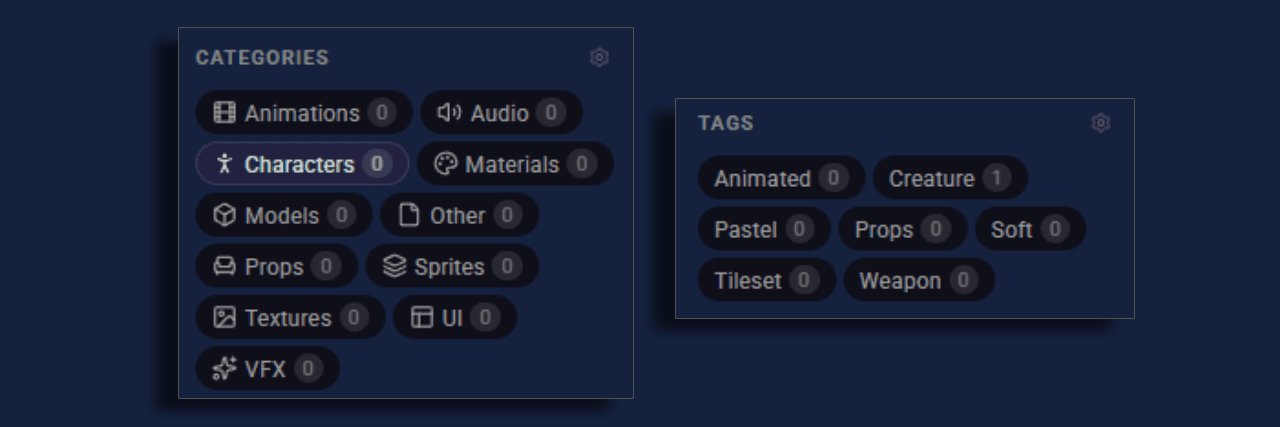
Tags for characters, tilesets, and UI
Organise by character, biome, UI state, or whatever makes sense for your project. Build a library around your workflow, not a rigid folder tree.
Drag straight into your engine
Drag any sprite from AssetHoard into Unity, Godot, Aseprite, or anything else that accepts files. No copy-paste, no hunting through Explorer, no exporting to a working folder first. The library is the working folder.
Pixel and smooth renderers

Pixel art needs nearest-neighbour scaling. Painted illustrations need smooth filtering. AssetHoard supports both, so every asset looks right at any zoom level.
- Pixel mode (nearest-neighbour) keeps sprites and tilesets sharp in thumbnails, in full-size previews, and when dragged into a game engine.
- Smooth mode (bilinear filtering) keeps painted concept art, Krita illustrations, and PSD layers soft.
Toggle per image, on a category, or against a bundle.
One library for every 2D project
A 2D artist rarely works on one project at a time. There is the game you are shipping, the prototype you are sketching, the jam you signed up for last weekend, and the archive of sprite packs you have been collecting for years. AssetHoard gives you one place to see all of it.
Import an entire folder of .aseprite files and every animation is previewable in
seconds. Drop in a pack of painted backgrounds and the Krita files render straight from the
library. Tag a character with the project it belongs to, a tileset with the biome it fits, a
UI element with the state it represents. When the next project starts, the assets are already
catalogued and waiting.
Everything stays local. No cloud uploads, no project folders held hostage by someone else's server, no subscription to keep your own art accessible.
Supported 2D file formats
AssetHoard recognises the formats 2D artists actually ship.
.aseprite.ase.kra.psd.png.jpg.webp.gif.tiff.svg.tga.bmp
Frequently asked questions
No. AssetHoard reads the Aseprite file format directly, so .aseprite and .ase files preview and play back animations on machines that do not have Aseprite installed.
Yes. AssetHoard reads frame timings and animation tags directly from the .aseprite file and uses them for playback in the preview pane. Sprites play back at the same speed and respect the same tags they do inside Aseprite, without launching the editor.
Yes. Sprite sheets render as a full-resolution image preview in the library, so an entire sheet is browsable without opening an editor. Animated .aseprite files play back frame-by-frame in the preview pane, with frame timings read directly from the file.
Yes. AssetHoard renders Krita (.kra) and Photoshop (.psd) files as full-resolution flattened previews directly in the library. Neither Krita nor Photoshop needs to be installed to browse a folder of painted concept art or illustrations. Per-layer inspection is on the roadmap.
Yes. Drag any sprite, tileset, or texture from AssetHoard directly into Unity, Godot, Aseprite, or any application that accepts files. There is no copy-paste, no hunting through Explorer or Finder, and no export step.
Yes. Pixel mode uses nearest-neighbour scaling at every zoom level, so low-resolution sprites and tilesets stay crisp in thumbnails, in full-size previews, and when dragged into a game engine. Painted illustrations can use smooth mode (bilinear filtering) instead.
Yes. AssetHoard supports custom tags so sprites, tilesets, and UI assets can be organised by character, biome, project, or any other taxonomy that fits the work. Tags work across the whole library, so an asset tagged once is searchable from any project.
AssetHoard is built for game art workflows. It provides native preview for .aseprite files with animation playback, Krita (.kra), sprite sheets, and Godot resources (.tres), plus nearest-neighbour rendering for pixel art and drag-and-drop into Unity, Godot, and Aseprite. Eagle and Adobe Bridge are general-purpose asset browsers without dedicated Aseprite, pixel art, or game engine integration.
Your whole 2D library, one view away
Local-first. No subscription. One-time purchase.