Sharp pixel rendering, and a new Workbench
Asset Hoard v0.1.12 release notes
Sharp pixel rendering, and a new Workbench
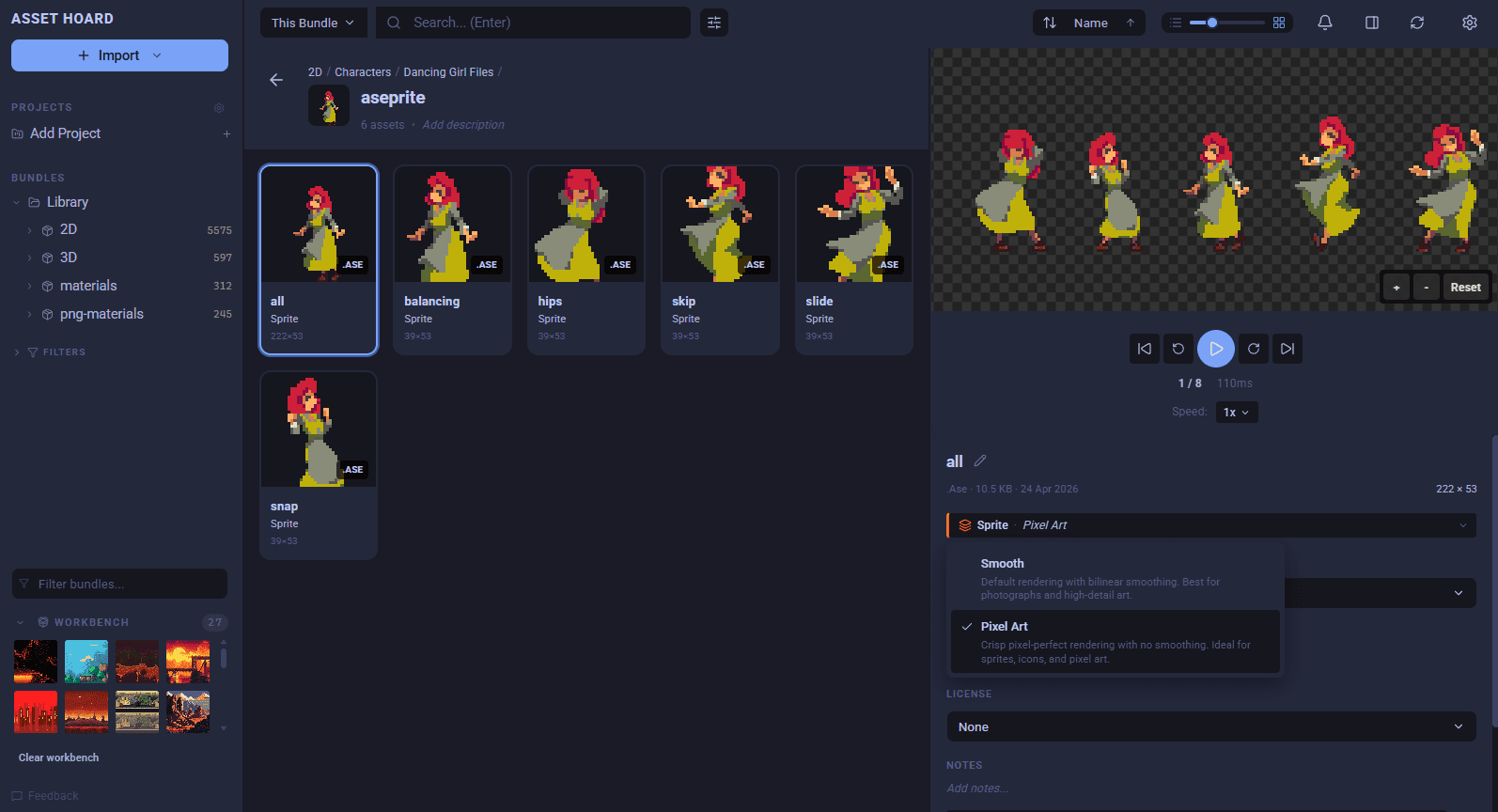
The headline feature in this release is the Pixel Renderer, a refactor in how assets are displayed that keeps pixel art crisp without any manual setup. Alongside that, the new Workbench gives you a scratchpad for gathering assets before dropping them into a project, and everyday tasks feel smoother with better undo, cleaner previews, and friendlier bundles.
🎨 Pixel art done right
Asset Hoard now recognises pixel art on import automatically and keeps those tiny sprites crisp instead of blurry. It works across PNG, GIF, TGA, Photoshop, Krita, and more.
- Automatic detection: pixel art is picked up on import without any manual tagging
- Sharp rendering: sprites display with nearest-neighbour scaling, so pixels stay pixels
- Category defaults: mark an entire category as pixel art and every asset inside inherits the setting
- Per-asset override: override the default on individual assets when you need to
The real magic here is a large refactor of how we show assets. We've introduced a new concept called renderers. First cab off the rank is the Pixel Renderer, but we'll be extending to other renderers in the future for 3D, Materials, and packages like Godot.
🧰 A New Workbench
A dedicated place to collect assets before committing them to a project. Pick things up as you browse, review what you have, and send the whole lot to a project in a single click. There's an option in settings -> ui to turn this off if you won't need it.
- Dedicated area: the Workbench has its own sidebar panel and full-page view
- Drag in from the library: drop any assets or bundles onto the Workbench as you browse
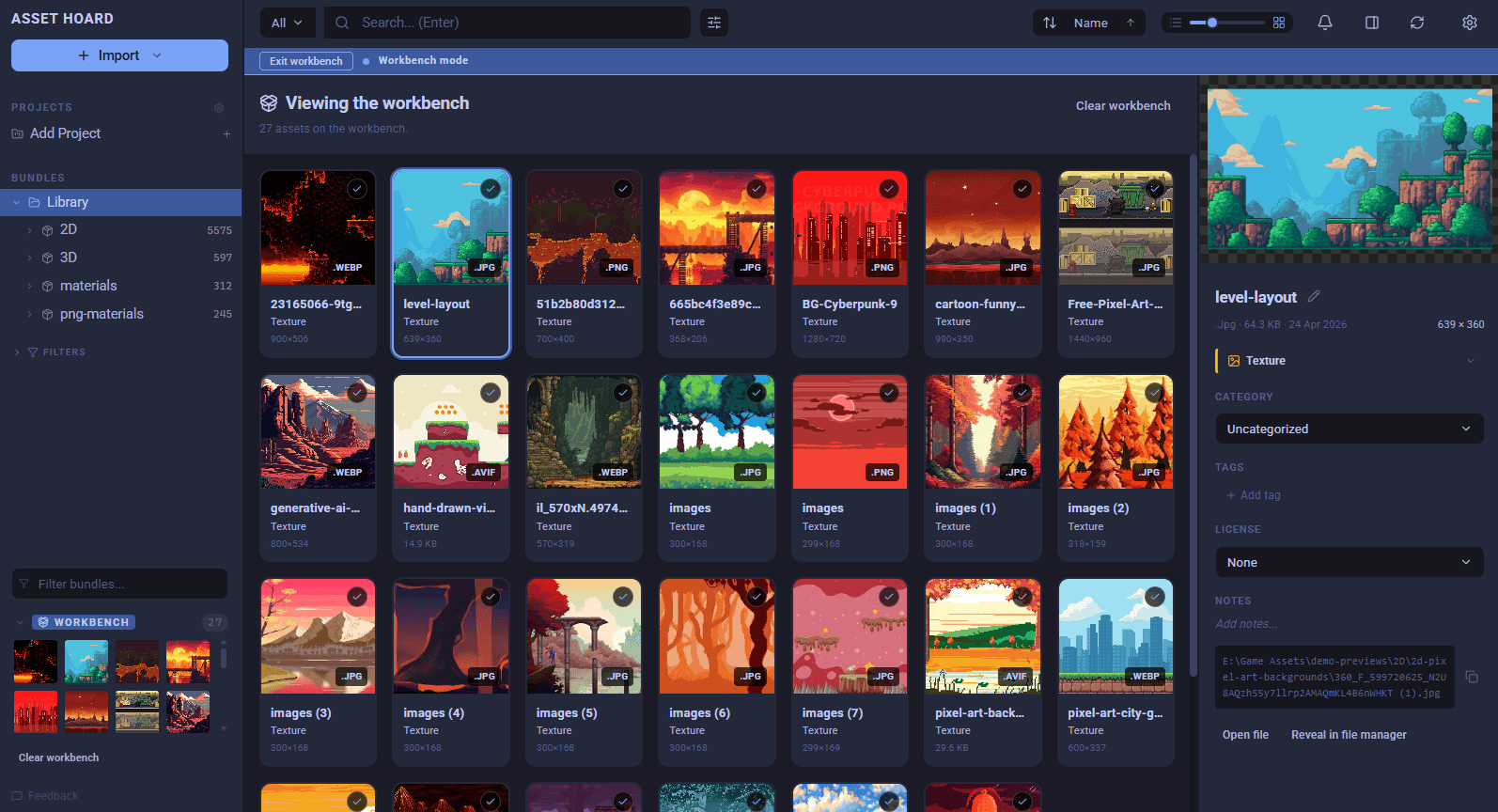
- Bulk-add to a project: send everything you have collected to a project in a single click
- Library badges: items sitting on the Workbench get a small badge in the library, so you always know what has already been picked up
- Status bar counter: a running count shows how many items you are carrying at any time
- Full undo and redo: adding and removing from the Workbench is fully reversible
- Recent projects: the Workbench remembers your most recent projects, so it is quick to get back to where you were
📦 Bundles got friendlier
- Bundle descriptions: add notes on each bundle to capture what it is for
- Shift-click expand:
Shiftandclickthe expand arrow in the sidebar to open or close a whole nested tree at once - Cleaner move undo: undoing a bundle move now reverses the whole thing in one step, instead of two
- Search results polish: bundle cover images and icons now appear correctly in search results
- Sensible move rules: bundles now visually show they can't be dropped in themselves
- 🐛 Bundles stay populated: re-opening a recently viewed bundle now reliably shows its assets, even after a library refresh has cleared the in-memory asset cache. No more F5.
🖼 Previews and layout
- Wider preview panel: the asset preview can now be stretched up to 1000px
- 3D & Sprite play buttons: are now below the drag handle
- Easier resize handle: the handle is easier to find and grab
- Wrapping file paths: long file paths now wrap instead of running off the screen
- 🐛 Tidier list view: columns line up properly, and bundles now show their category
✨ Quality of life
- Install Now on Mac: the "Install Now" action in the updater now works correctly, and keeps any in-progress imports safe across the restart
- 🐛 Blender previews on Linux: a fix for Blender thumbnail previews on Linux
- Polish throughout: various small fixes and visual tidies across the app
May your Workbench be full and your pixels be sharp.
Happy hoarding.