← All Releases
Semantic search, grid zoom, and performance gains
Asset Hoard v0.1.8 Release Notes
Semantic search, grid zoom, and performance gains
Introducing semantic search - find assets by describing what you're looking for instead of relying on exact names or tags. Alongside that, a new onboarding screen helps first-time users get started, and under the hood we've landed more meaningful performance improvements to bundle loading and the import pipeline.
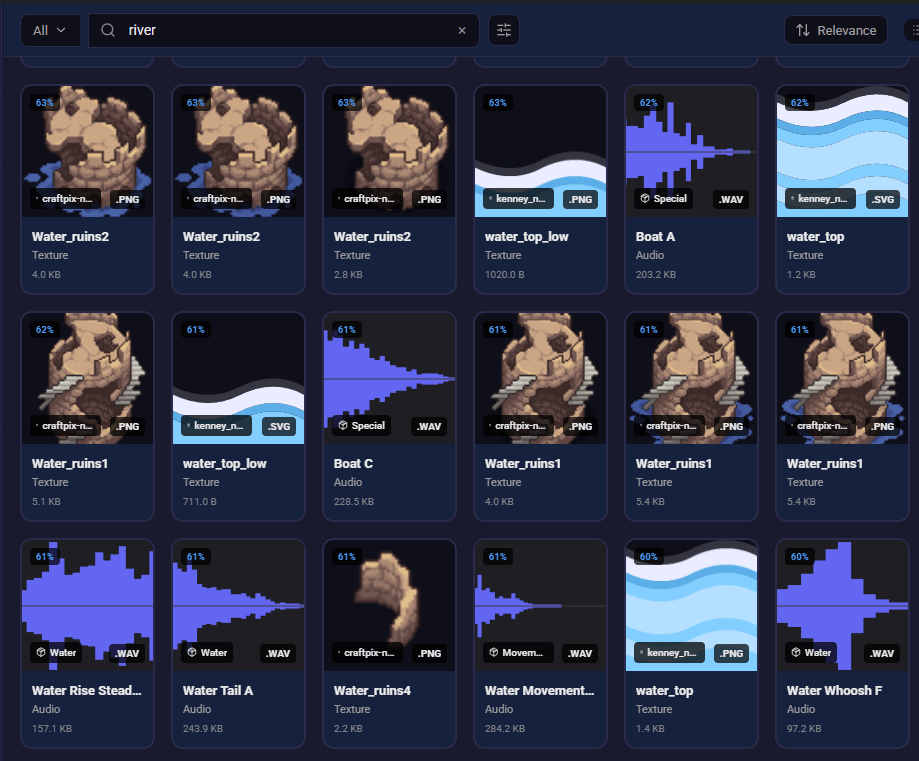
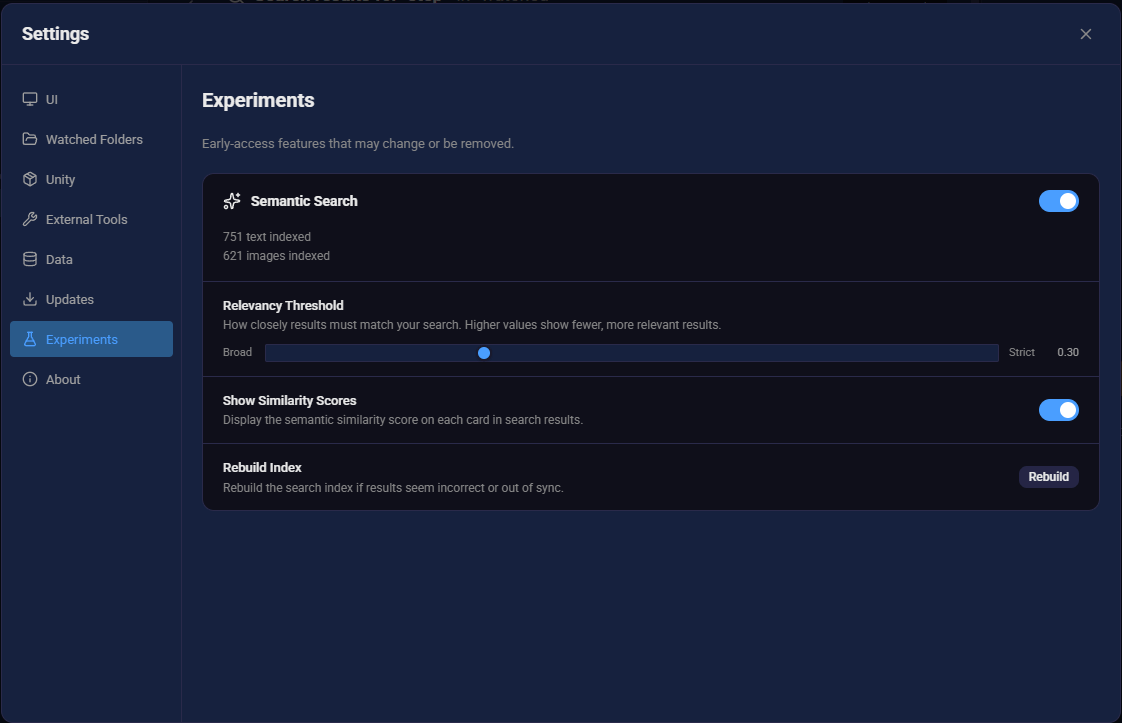
🔍 Semantic Search (New)
Turn on semantic search in Settings -> Experiments. It requires a one time download of ~400mb which includes 2 open source ML models that help make sense of text & images.
- Natural language search — Find assets by describing what you're looking for, not just by name or tag
- Automatic index sync — The search index stays up to date automatically: deleted assets are removed, restored assets are re-added, and category changes trigger re-indexing
- Tweak settings — Like relevancy threashold, and show similarity scores to tweak your experience
🎨 UI & Navigation
- Grid zoom — Use Ctrl+Scroll to resize asset cards on the fly, or adjust with the grid size slider
- New keyboard shortcuts — Added shortcuts for asset selection, navigation, and switching between views
- Empty library onboarding — A new welcome screen guides you through getting started when your library is empty
- Better expanded previews — Expanded preview modals now properly fill available vertical space
- Search bar focus fix — The
\key now correctly focuses the search bar - Virtualized sidebar tree — Sidebar bundle tree is virtualized for smoother scrolling with large bundle counts
🚀 Performance
- Faster nested bundle loading — Optimized with batch processing and deduplication, eliminating redundant database queries
- Lighter bundle responses — Bundles load opimization, 35% quicker to open a bundle
- Faster imports — Import pipeline releases database locks earlier, improving responsiveness during large imports
- Background auto-backup — Auto-backup no longer blocks UI's first paint, making the app load quicker
🐛 Bug Fixes
- Network drive drag-and-drop — Dragging files from network drives (NAS) no longer crashes the app
- Instant import visibility — Imported assets now appear in the UI immediately — no manual refresh needed
- Selection marquee fix — Selection marquee now calculates the correct row at smaller window sizes
- Bundle cover images — Cover images work correctly for audio-only bundles and their parents
- Unity thumbnail loading — Unity thumbnails load properly in Settings
- Reveal in file explorer — Quickly open any asset's location in your system file manager
- Persistent preview controls — Preview panel controls no longer disappear when the panel is resized small
Known Bugs
- Synology NAS file dragging — if a file is located on a Synology NAS, dragging it out of AssetHoard isn't working. This is due to a low-level windows security issue. We are aware and are currently working on a fix
May your assets be organised and your bundles be nested.
Happy hoarding!