← All Releases
Stability & speed improvements, and Watched folders rewrite
Asset Hoard v0.1.7 Release Notes
Stability & speed improvements, and Watched folders rewrite
Asset Hoard should feel like it just works. Fast imports, seamless navigation, and nothing getting in your way. This release moves us closer to that goal with watched folder management rewrite, snappier thumbnail and waveform handling, database stability fixes, and the first steps of a broader UI refresh.
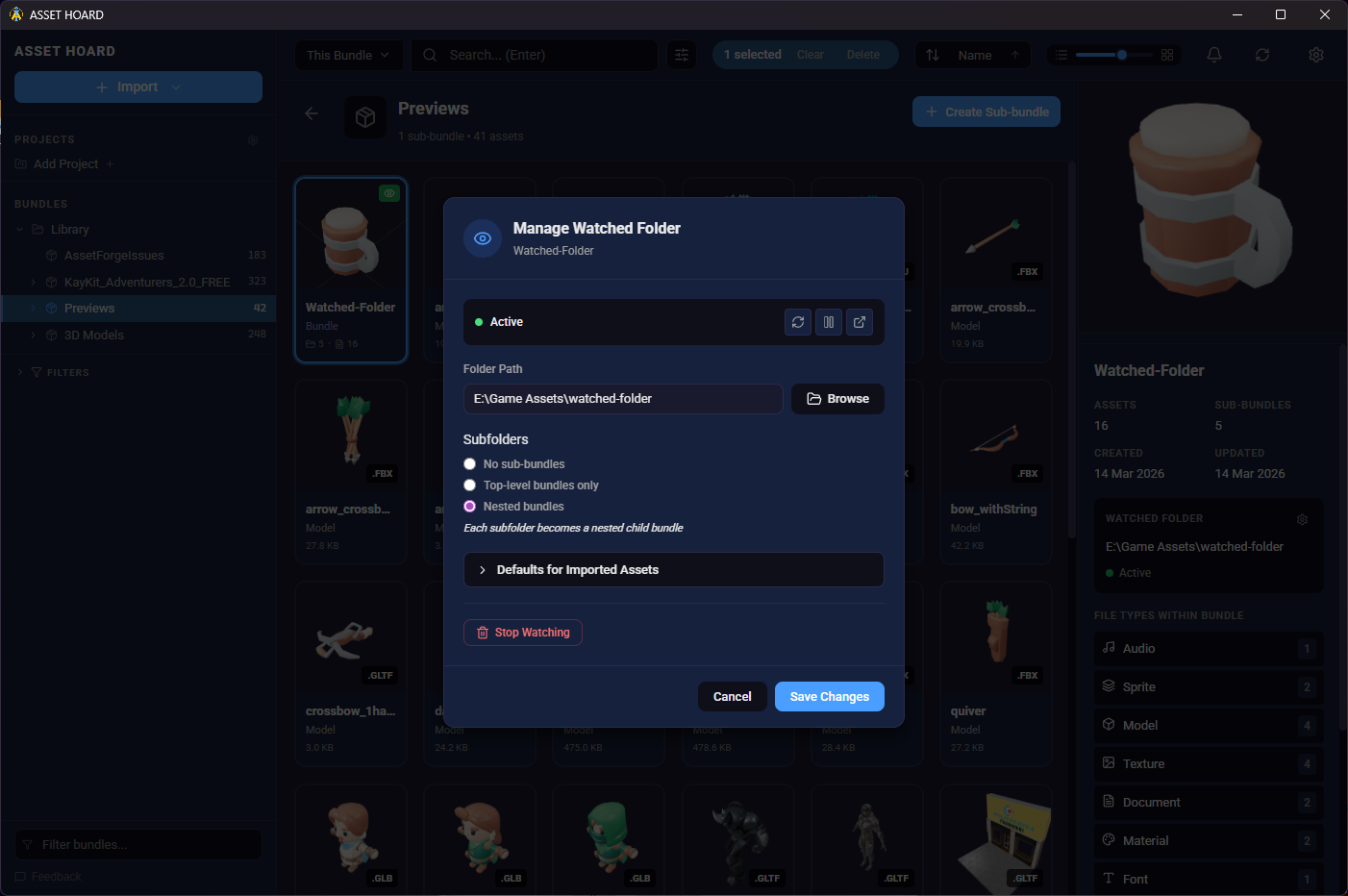
👁️ Watched Folders
- Manage from anywhere — Add, edit, and remove watched folders directly from the bundle details panel or the context menu via a new dedicated modal
- Visual indicators — Watched folder badges now appear on bundle cards and list rows so you can see at a glance which bundles are being watched
- Safer deletes — Deleting or restoring bundles now correctly handles their associated watched folders
🔧 Stability
- Database lock fix — Resolved several locking issues that could cause errors under load
- Better file error handling — PSD and GIF files that fail to process now show user-friendly error messages
- Application-wide logging — Added more logging throughout the app for easier troubleshooting
- Lazy generation for large images — Oversized images no longer trigger heavy upfront processing, reducing memory usage
- Parallel waveform generation — Audio waveforms are now generated in parallel with progress reporting
🖼️ Previews & File Support
- Progress feedback — Fixed a bug where thumbnail generation wasn't showing progress, make the import look like it stalled
- Aseprite ICC support — Improvements to Aseprite colour profile management
📂 Import
- Bundle cache refresh — Importing assets into an existing bundle now properly refreshes the parent bundle cache
- Smoother close animation — The importer window animates smoothly into the notification area when minimising, making it clearer the import has moved to the noficiation area
🔍 Search
- Better loading feedback — Search results now show a clearer loading state while results are being fetched
- Improved input handling — Search input behaviour is more reliable and responsive
- Enter to search — Removed instant search filtering in bundles, commit the search by pressing enter
🎨 UI & Usability
We're kicking off a broader visual refresh of Asset Hoard's interface - this release is the first step, with a handful of minor styling updates and usability improvements. Expect more to come in future releases.
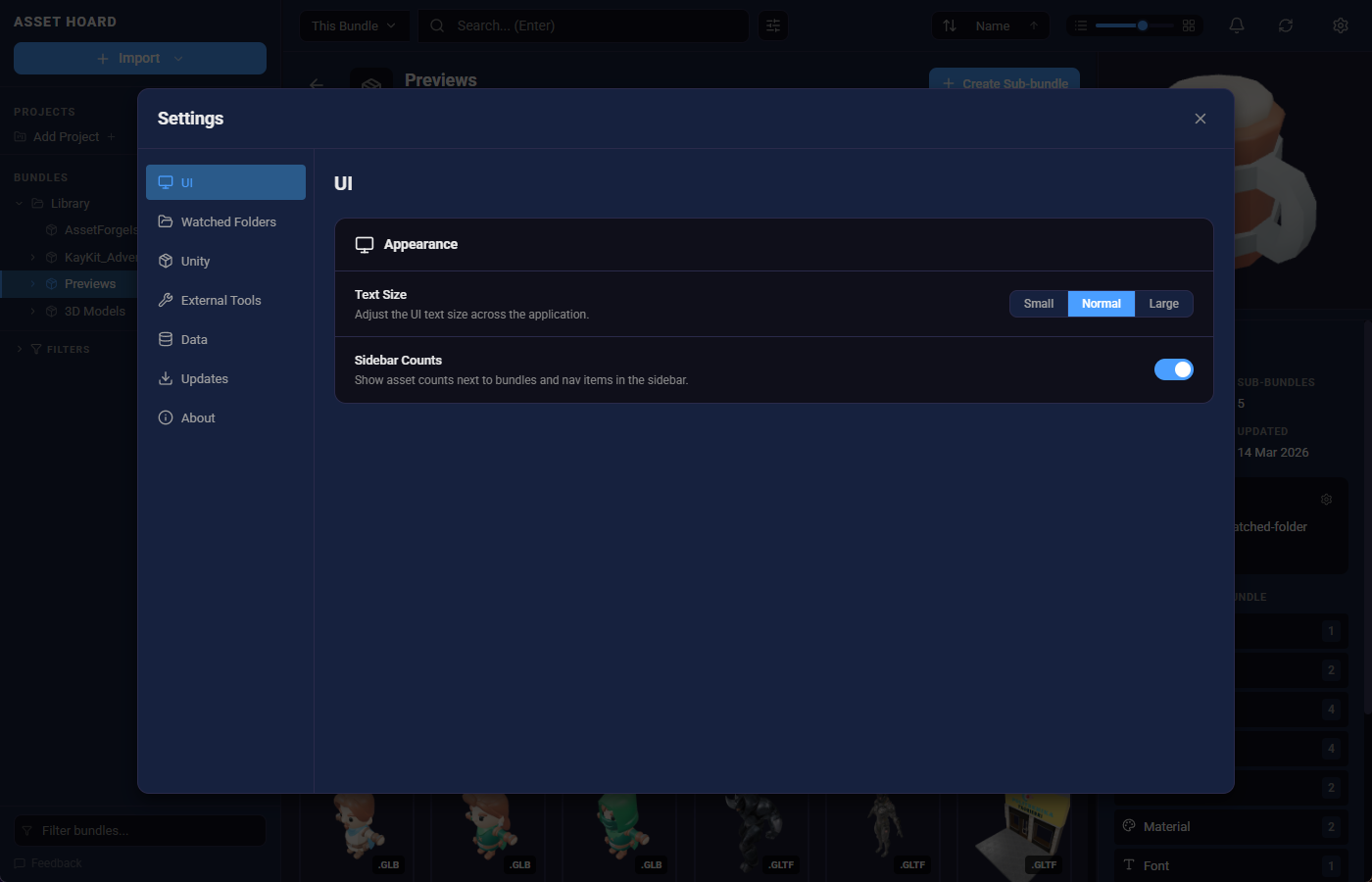
- Various styling tweaks — Small visual polish of the sidebar including a small restyle
- Sidebar count toggle — Show or hide item counts in the sidebar via a new setting
- UI Text Size Adjustment — Text Size can be adjusted between small, medium, and large
- More grid sizes — The grid size slider now supports sizes 1 through 8 for finer control over your layout
- Smarter back button — The mouse back button now closes modals instead of navigating away from the current page
- Delete confirmation spinner — A loading spinner on the delete confirmation button gives clear feedback while the operation runs
- Accessibility improvements — Added aria-labels to sidebar and modal buttons for better screen reader support
- Bundle name filtering in sidebar — Filter the bundles in the sidebar by name
May your assets be organised and your bundles be nested.
Happy hoarding!