← All Releases
Performance improvements and preview modal
Asset Hoard v0.1.4 Release Notes
Performance improvements and preview modal
This release brings major performance gains, a unified sorting system, and improvements to 3D model previews.
✨ Features
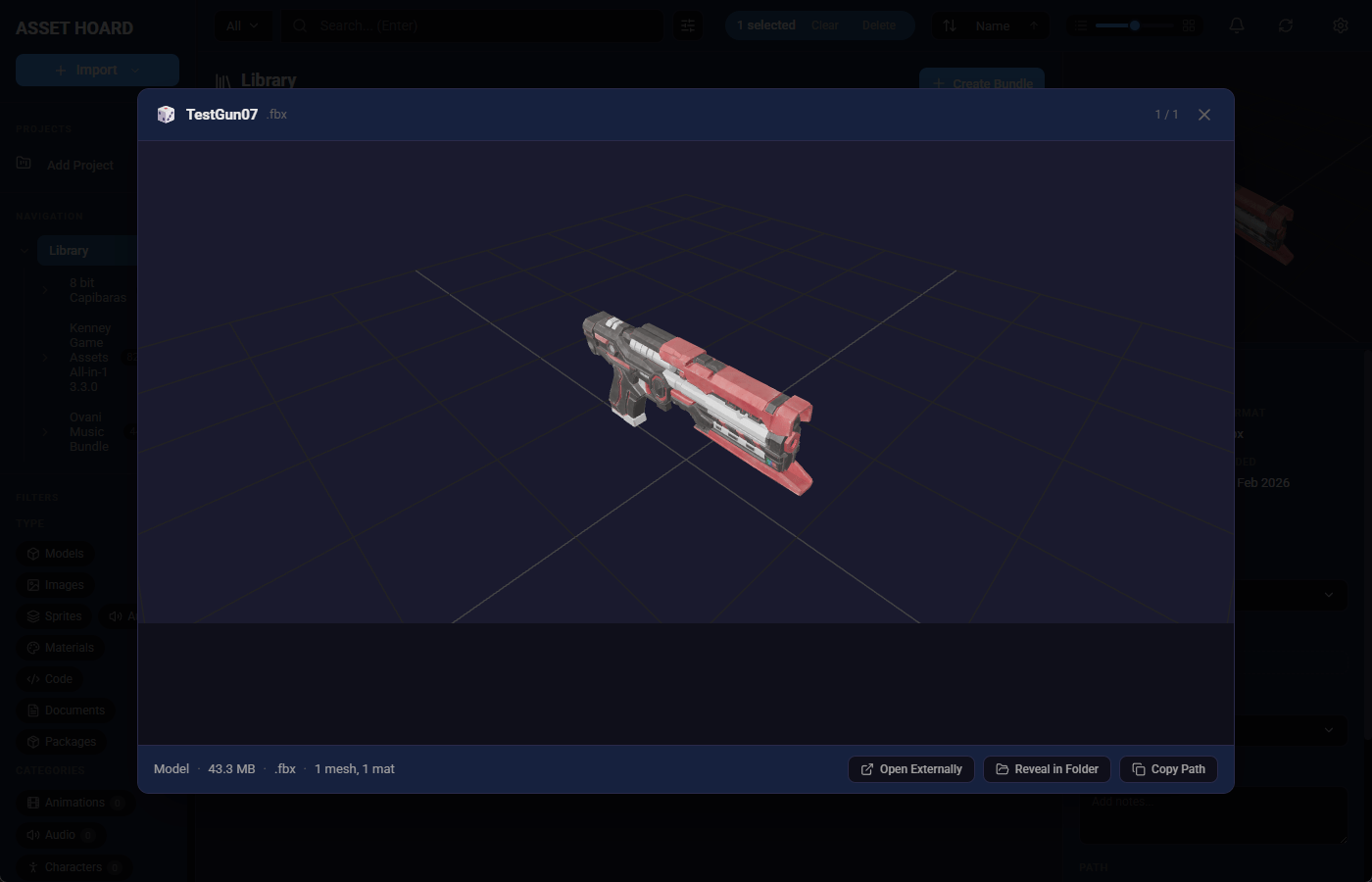
- Large preview — dbl-click on an asset to see a large preview panel
- Plain text content detection — Auto detect plaintext for non-supported files to show contents
- Code detection for web assets — HTML, CSS, Svelete, and others now supported
- Asset dimensions display — Show dimensions in the preview panel
- Optimised asset import — Re-importing assets updates them in place rather than reloading from scratch
- Unified sorting system — Sorting with tag support, plus optimised bundle detail stats retrieval
- Linux update notification — Shows a "download here" link when a new version is released
🐛 Bug Fixes
- Emissive texture support — Emissive textures are now loaded and rendered correctly
- Code preview fills modal — Preview now properly fills the modal area
- Blender files on Linux — Fixed Blender rendering on Linux
- Sidebar bundle counts — Counts now update correctly on delete or redo
- Refresh filestat — Refresh now re-stats files to catch missing or restored files
🔧 Improvements
- Model centering/camera — Improved model centering and camera positioning in preview
- Ignore dotfiles — Now ignores all dotfiles (.DS_Store, .gitkeep, etc.) during folder imports (can still be imported directly)
- Clickable Directories — in settings in the watched directories and unity sections
- Simplified Bundling — assets can no longer exist in multiple bundles to simplify navigation
- Thumbnail sharding — Optimised thumbnail storage to mitigate older file system types
May your assets be organised and your bundles be nested.
Happy hoarding!